
Improving Poll Worker Content on EAC's Website

Redesigning information architecture and content flow to improve clarity, usability, and poll worker sign-ups.

10 min read

2 months

Group project

UX researcher, UI designer

OptimalSort, Figma, Google suite, Zoom

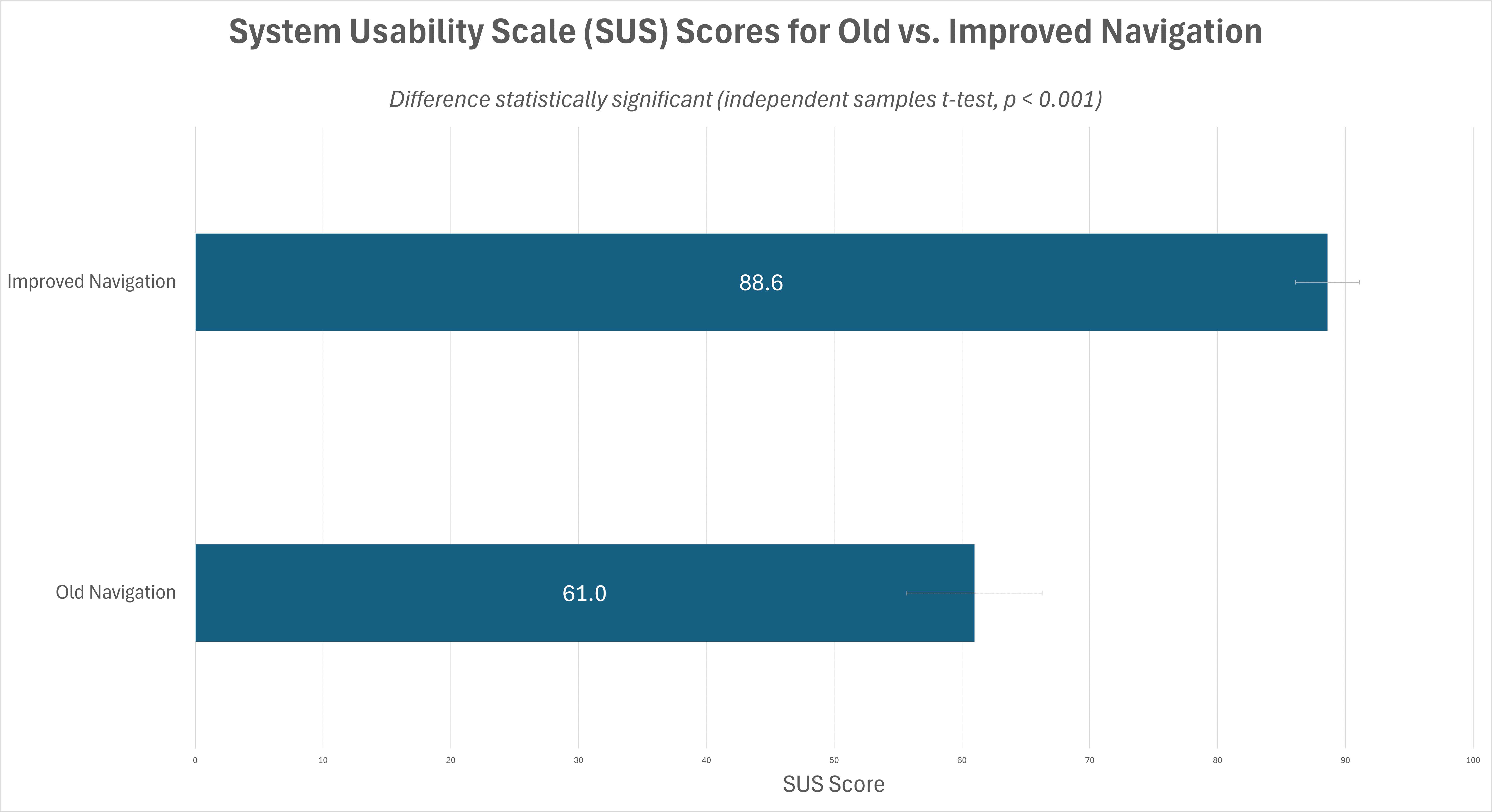
SUS Score

88.6

27.6% increase post-implementation

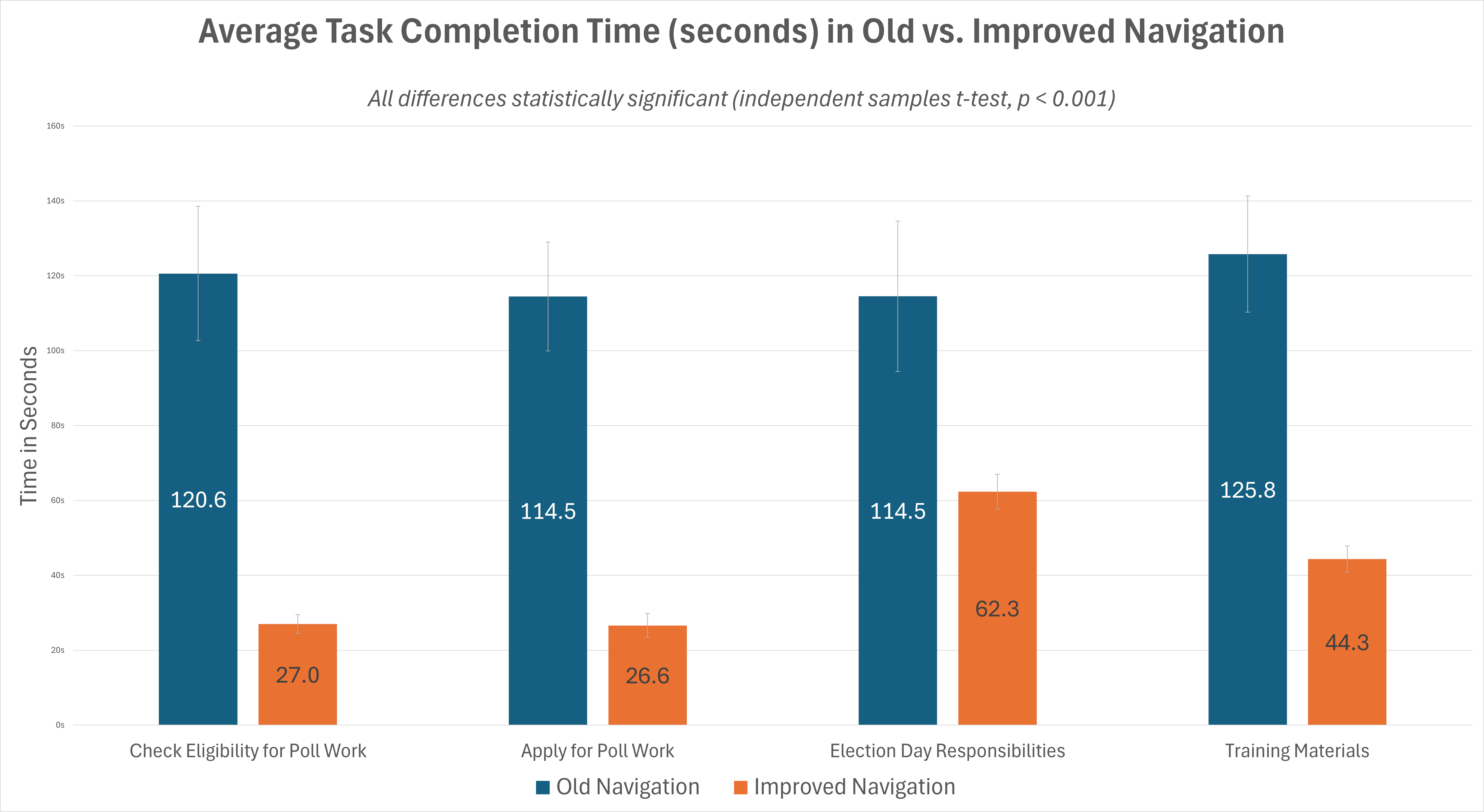
Time reduced by

67%

t-test, p<0.001

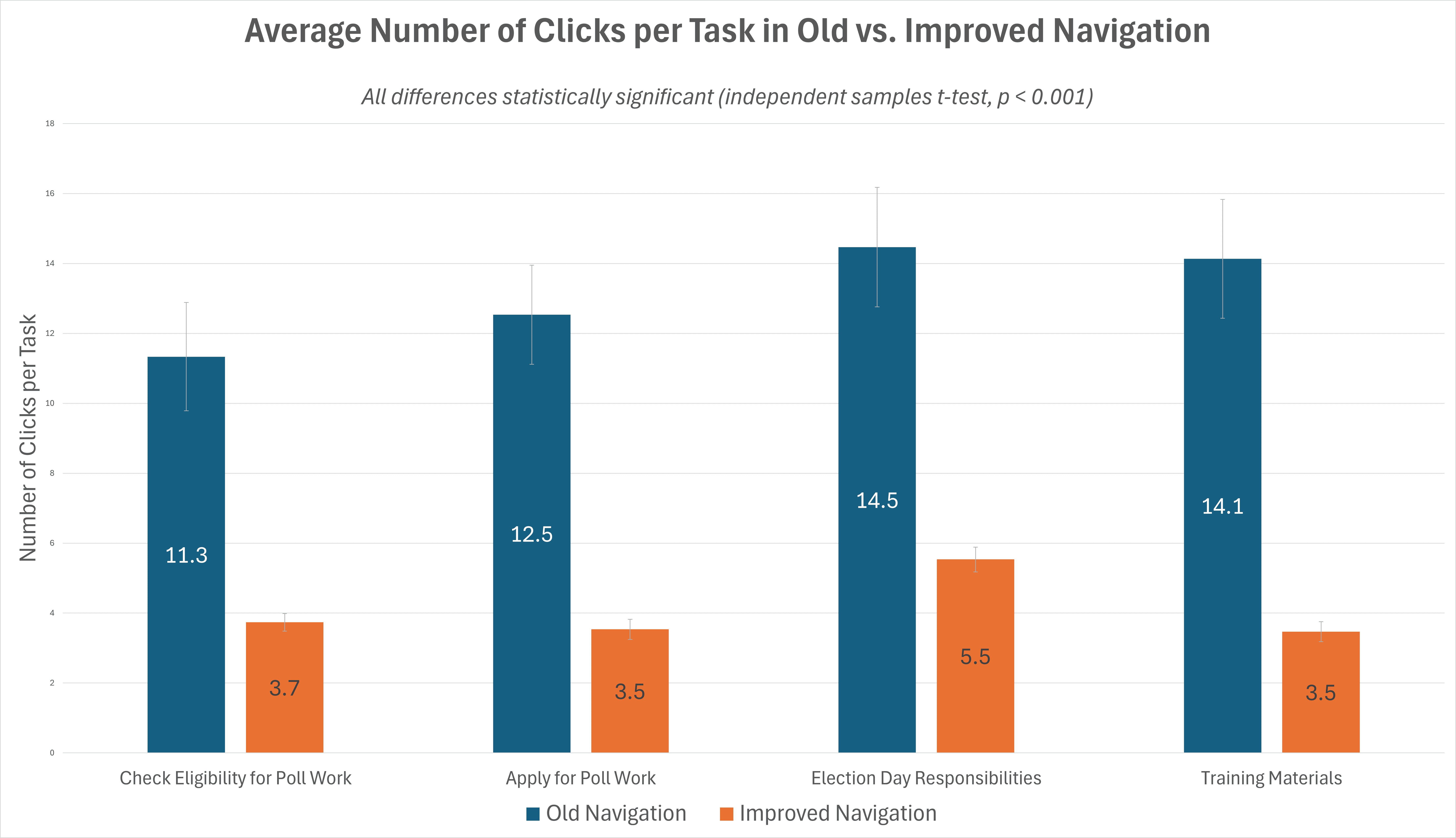
Clicks reduced by

69%

t-test, p<0.001

Findings are based on a between-group A/B study with 30 participants - 15 per condition (see analysis section).

Overview

Overview

Overview

Objectives

Objectives

Objectives

Discoverability

Make poll worker content easier to find and act on.

Minimalism

Reduce reliance on PDFs and external links.

Content Restructure

Improve IA to support recruitment and retention efforts.

Problem

The EAC website, in its current form, has poll worker content buried and fragmented across PDFs and external links, making it hard to act on.

Problem

The EAC website, in its current form, has poll worker content buried and fragmented across PDFs and external links, making it hard to act on.

Problem

The EAC website, in its current form, has poll worker content buried and fragmented across PDFs and external links, making it hard to act on.

"How can we reorganize the website’s information architecture to surface actionable, state-specific content in an intuitive, accessible format?"
Results

Results

Results

  1. Unstructured Content

The Problem

Poll worker content scattered across various sections of the site with no centralized hub, making it difficult for users to locate critical information or understand where to begin.

The Fix

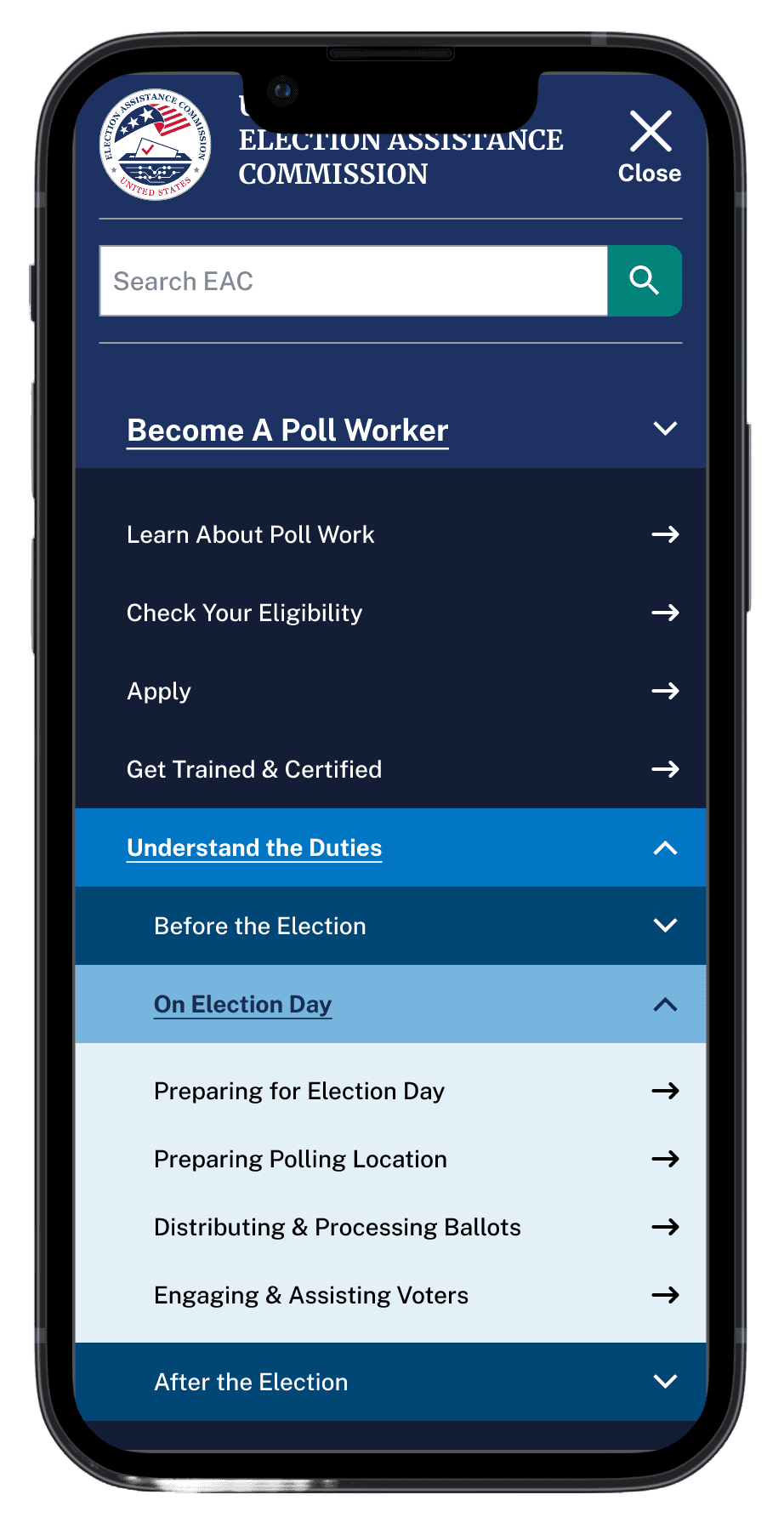
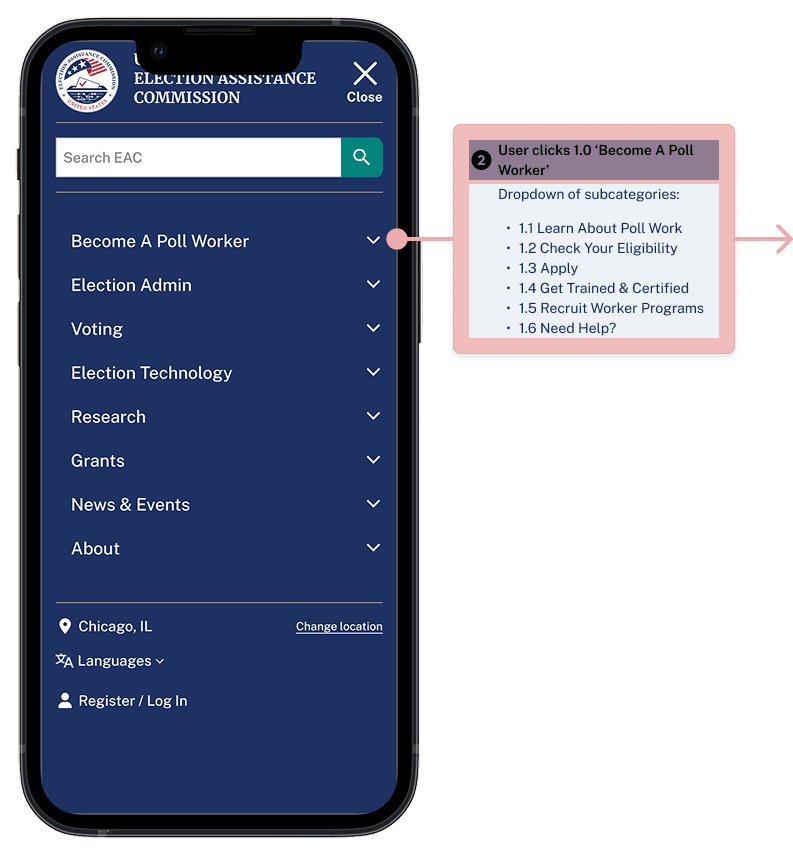
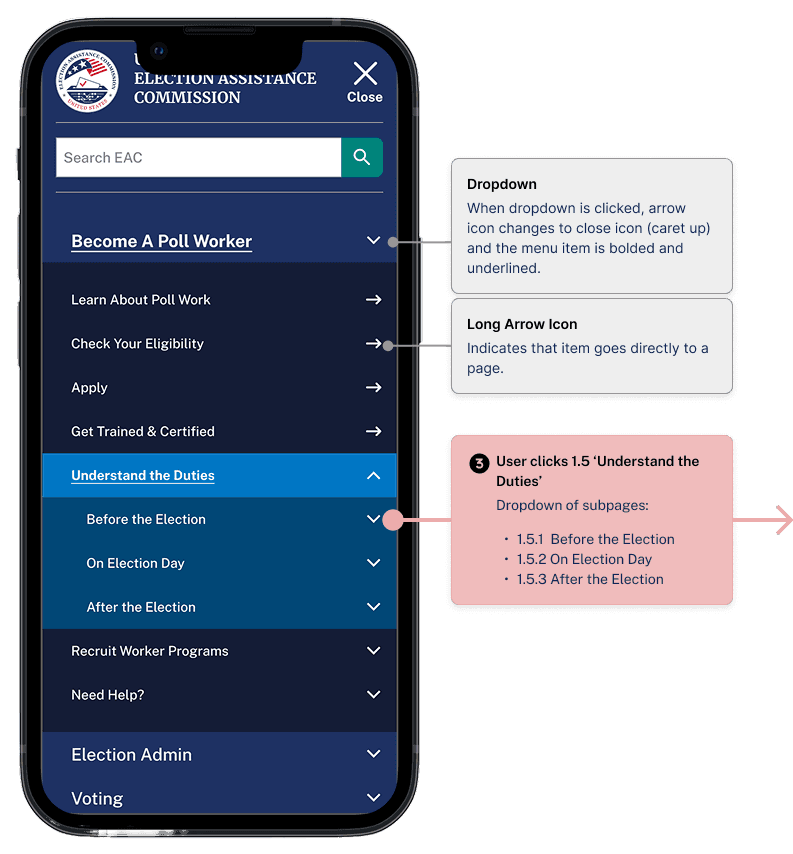
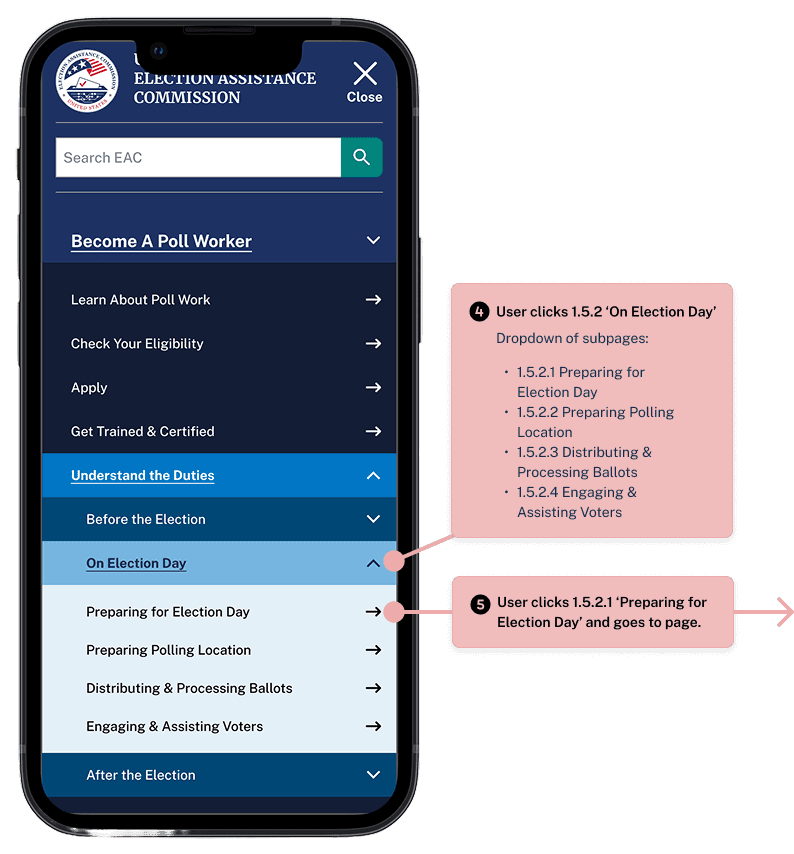
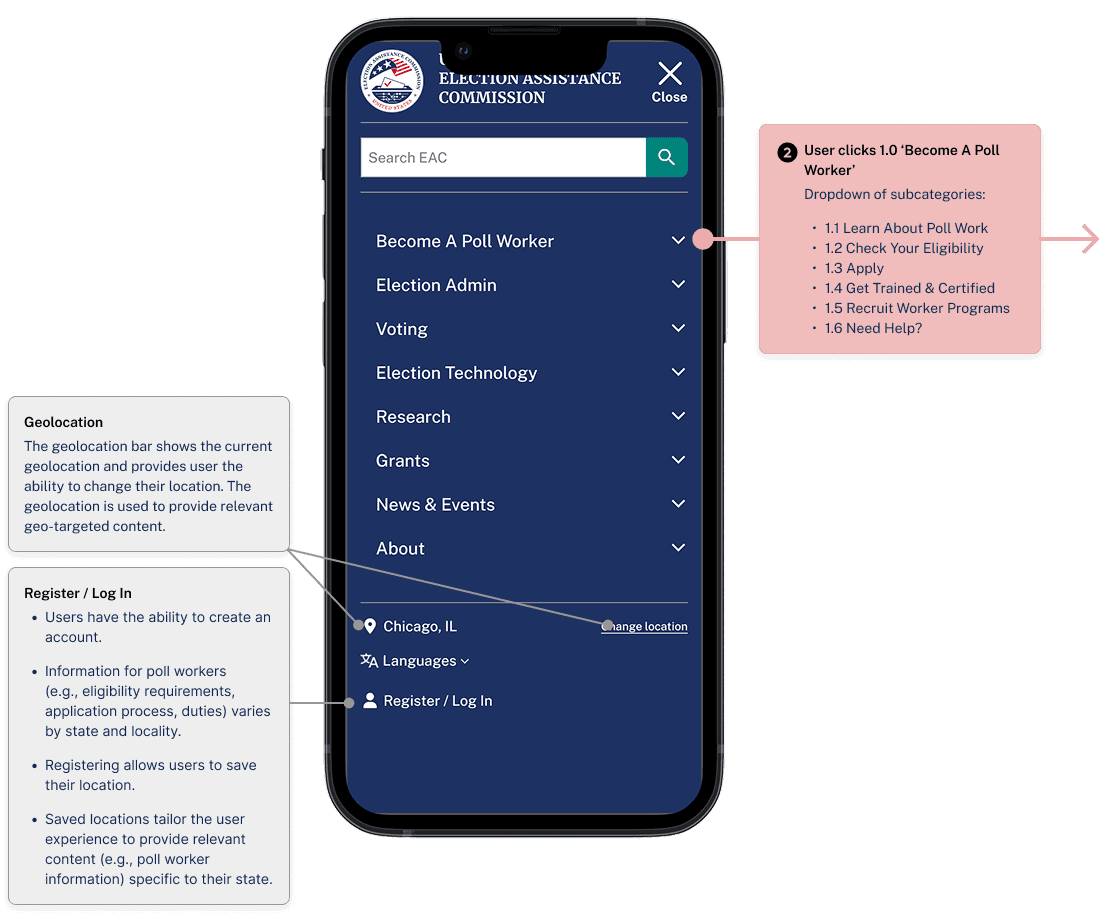
Restructured the navigation by introducing a dedicated top-level section labeled “Become a Poll Worker”, consolidating all relevant content into a single, easily discoverable category.
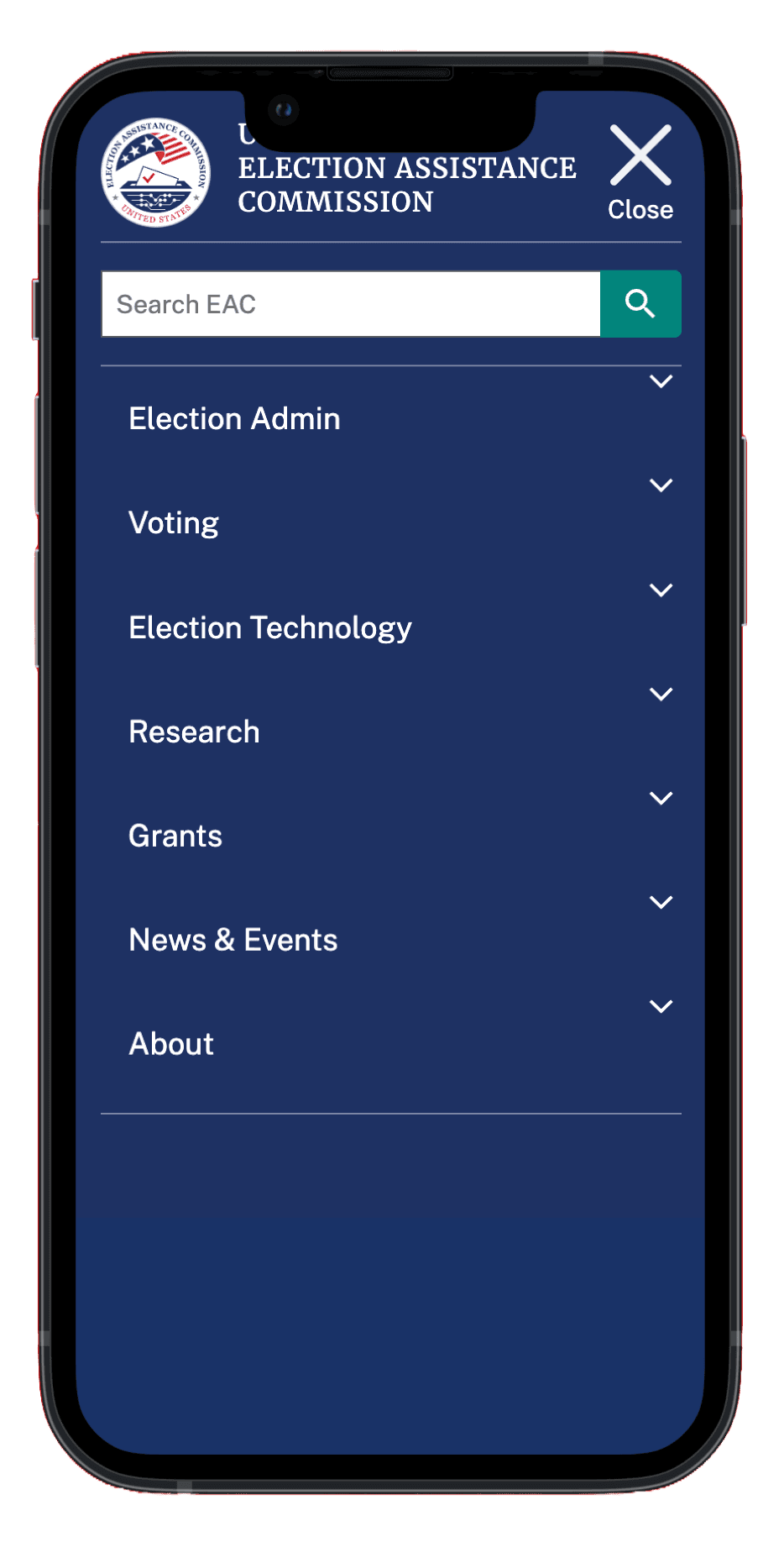
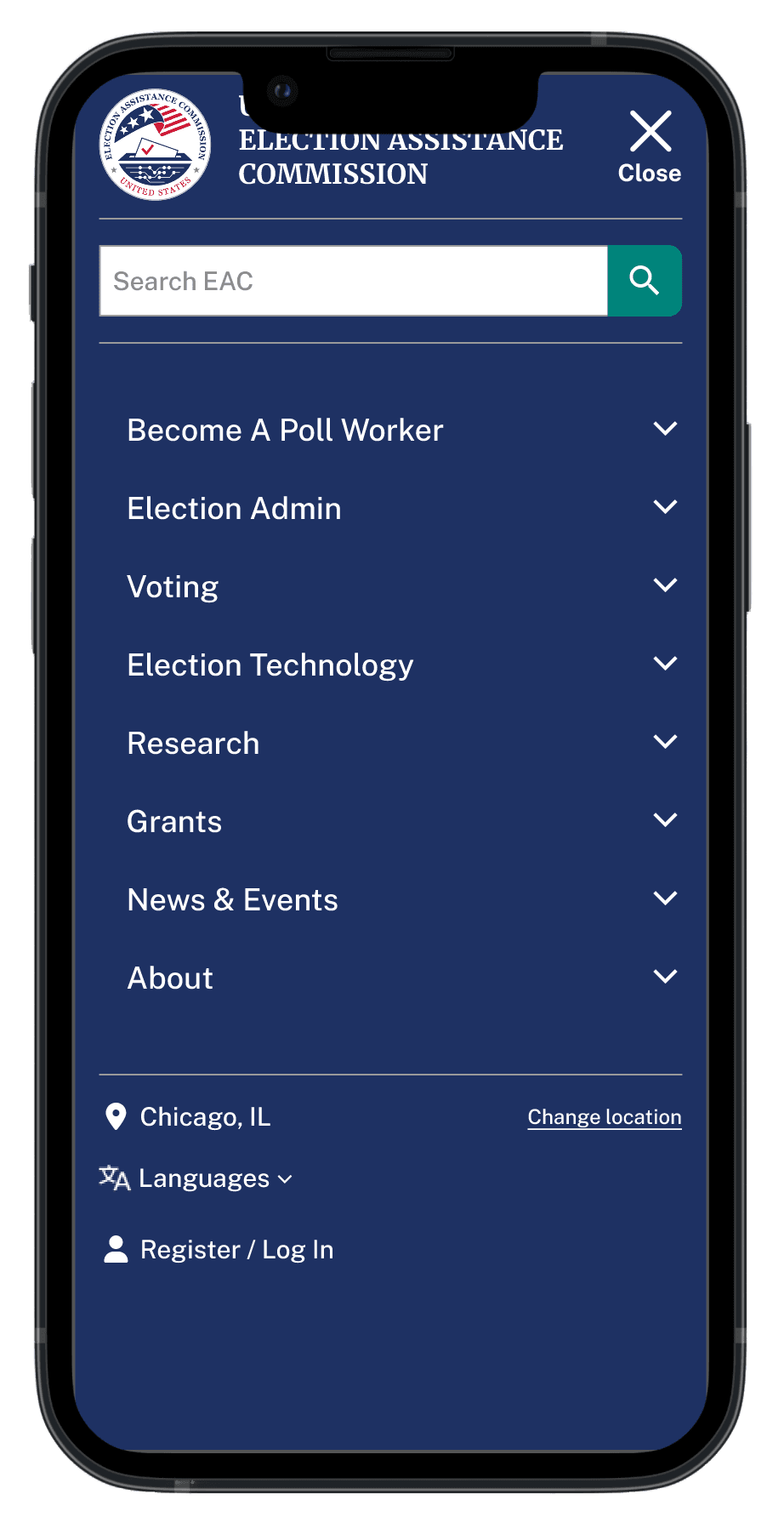
  1. No Clear Actionable Pathways

The Problem

Key actions like “Apply” are buried inside the Poll Worker Recruitment Lookup Tool, requiring users to navigate multiple layers.

The Fix

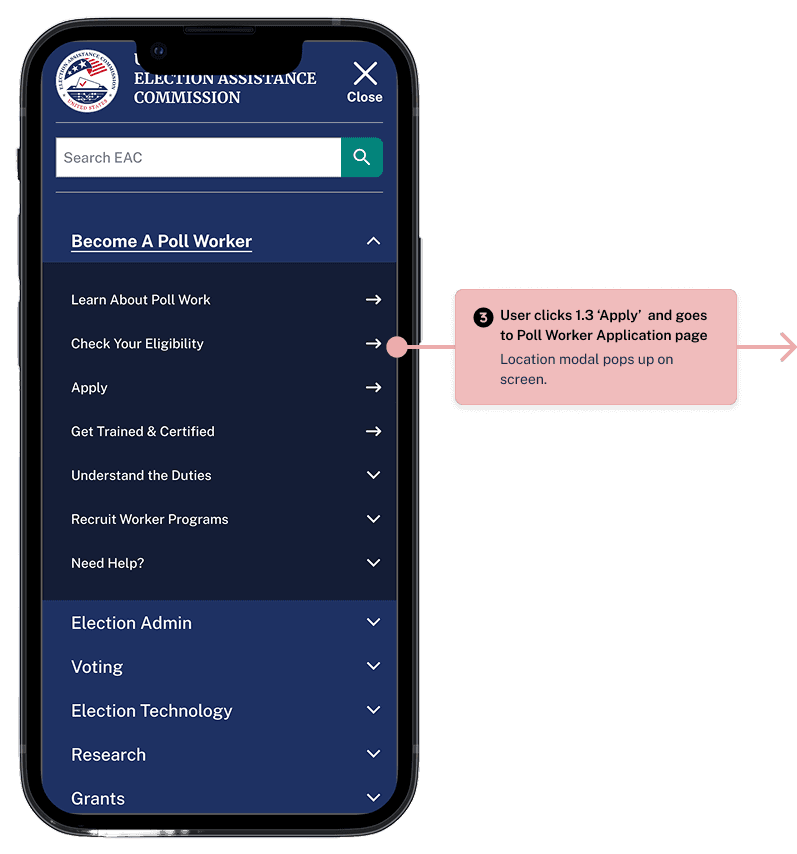
Simplified the task flow by putting “Check Eligibility” and “Apply” directly under the new “Become a Poll Worker” section, creating a clear, linear pathway for users to take action.

  1. Content Buried in PDFs and External Links

The Problem

Crucial state-specific poll worker information was hidden inside downloadable PDFs or external redirects, creating unnecessary friction.

The Fix

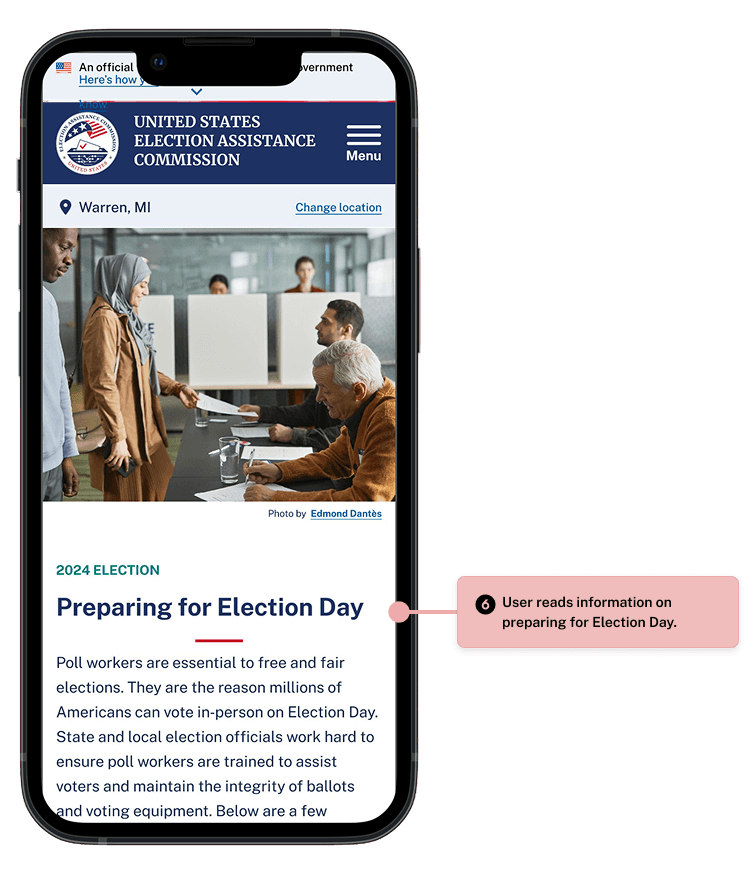
Moved essential content from PDFs and third-party links into embedded web pages, making information easier to access without leaving the EAC site
  1. Buried Poll Worker Lookup Tool

The Problem

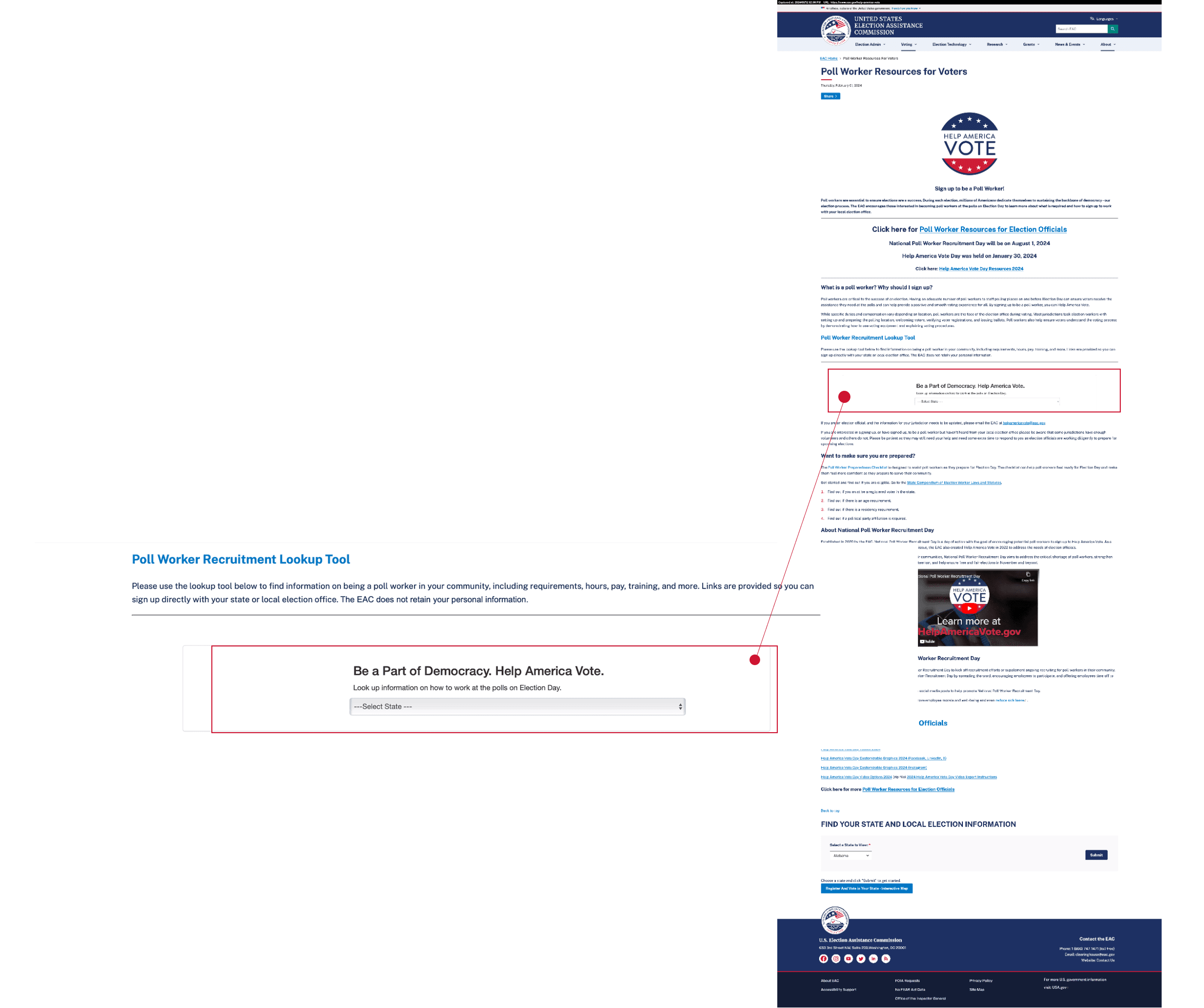
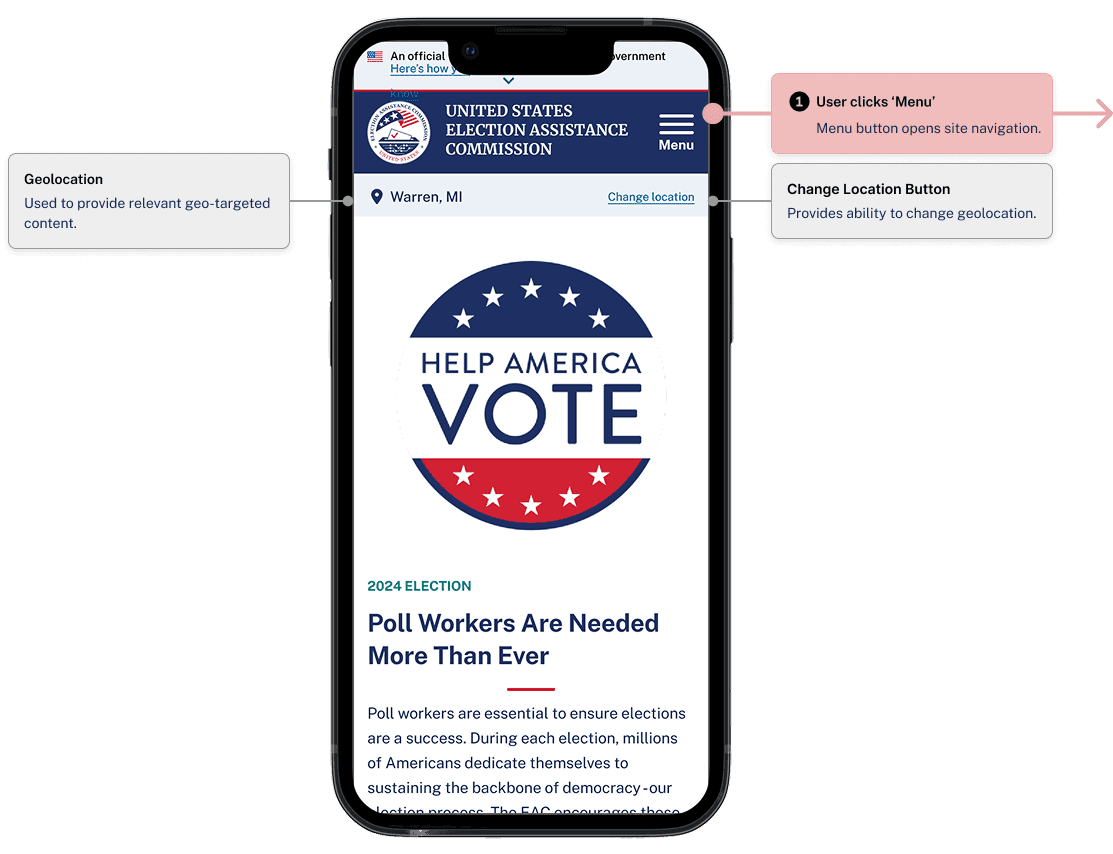
The Poll Worker Recruitment Lookup Tool is embedded mid-page within dense content. Users must scroll to find a small dropdown menu labeled “Select State,” which is easy to overlook and visually disconnected from any clear call to action.

The Fix

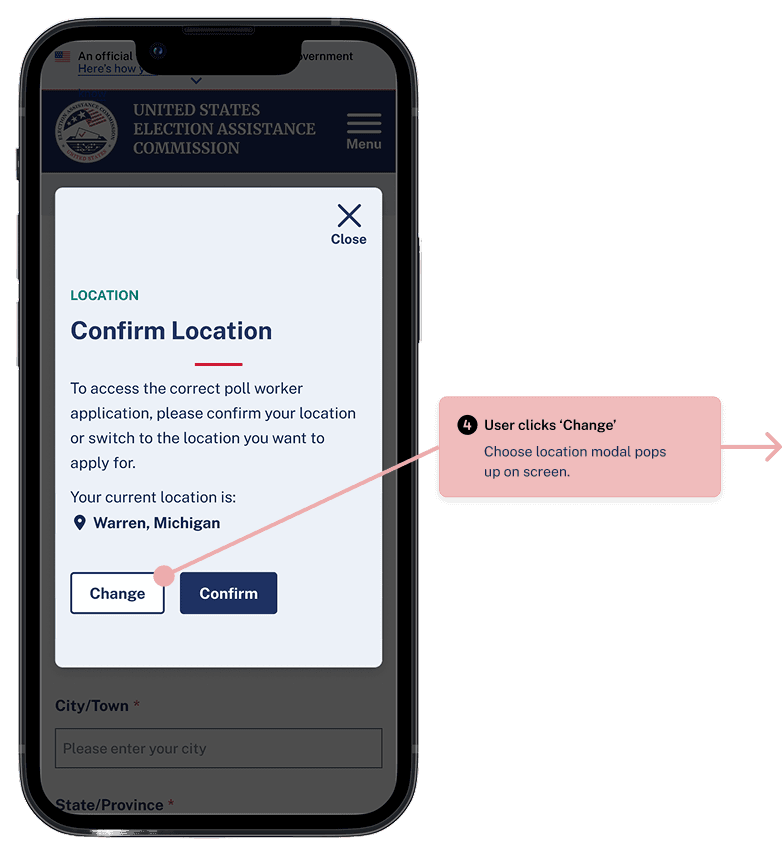
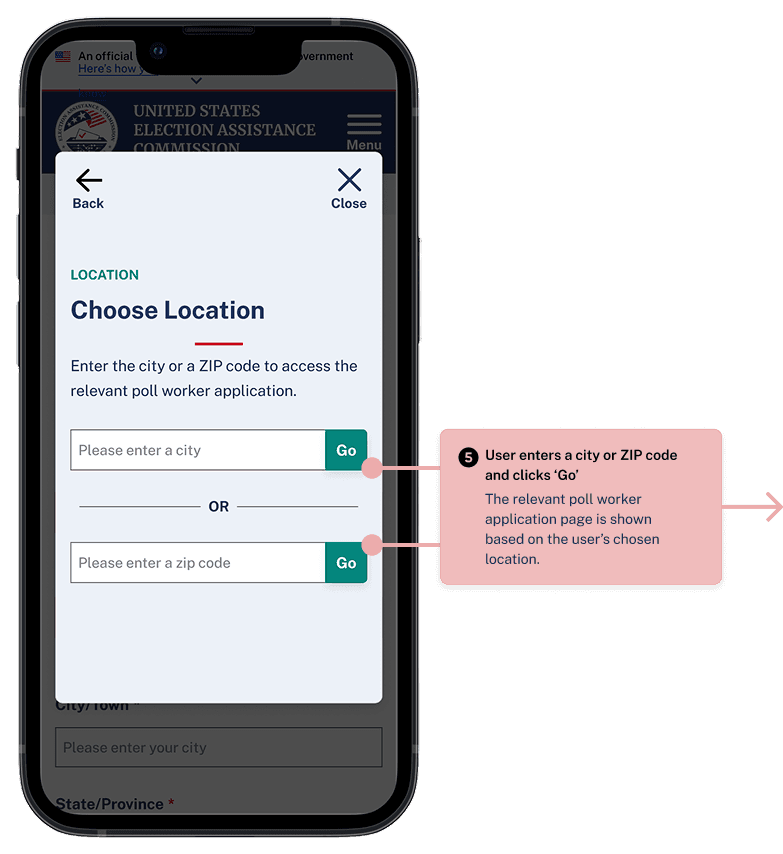
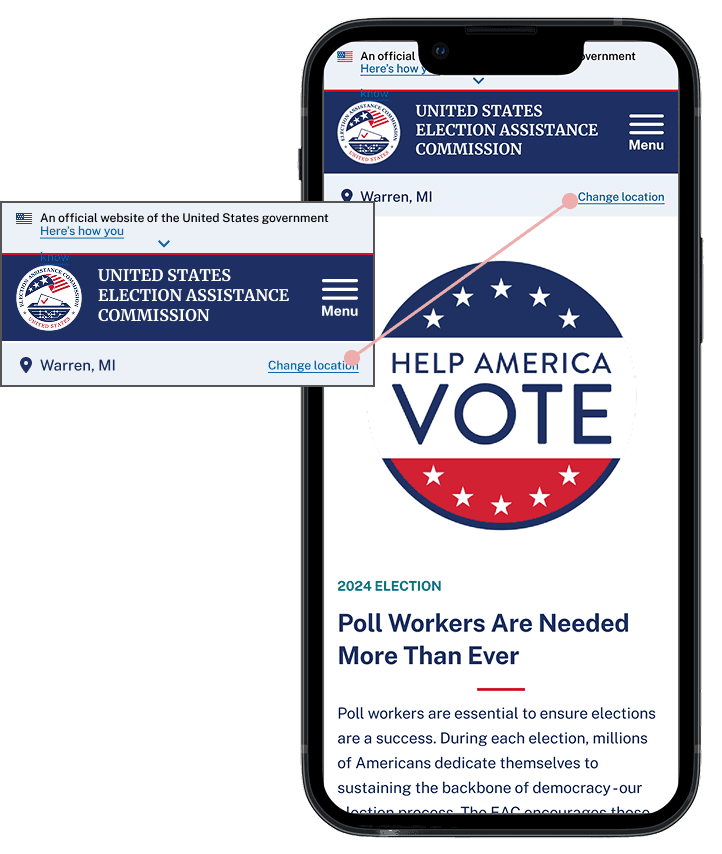
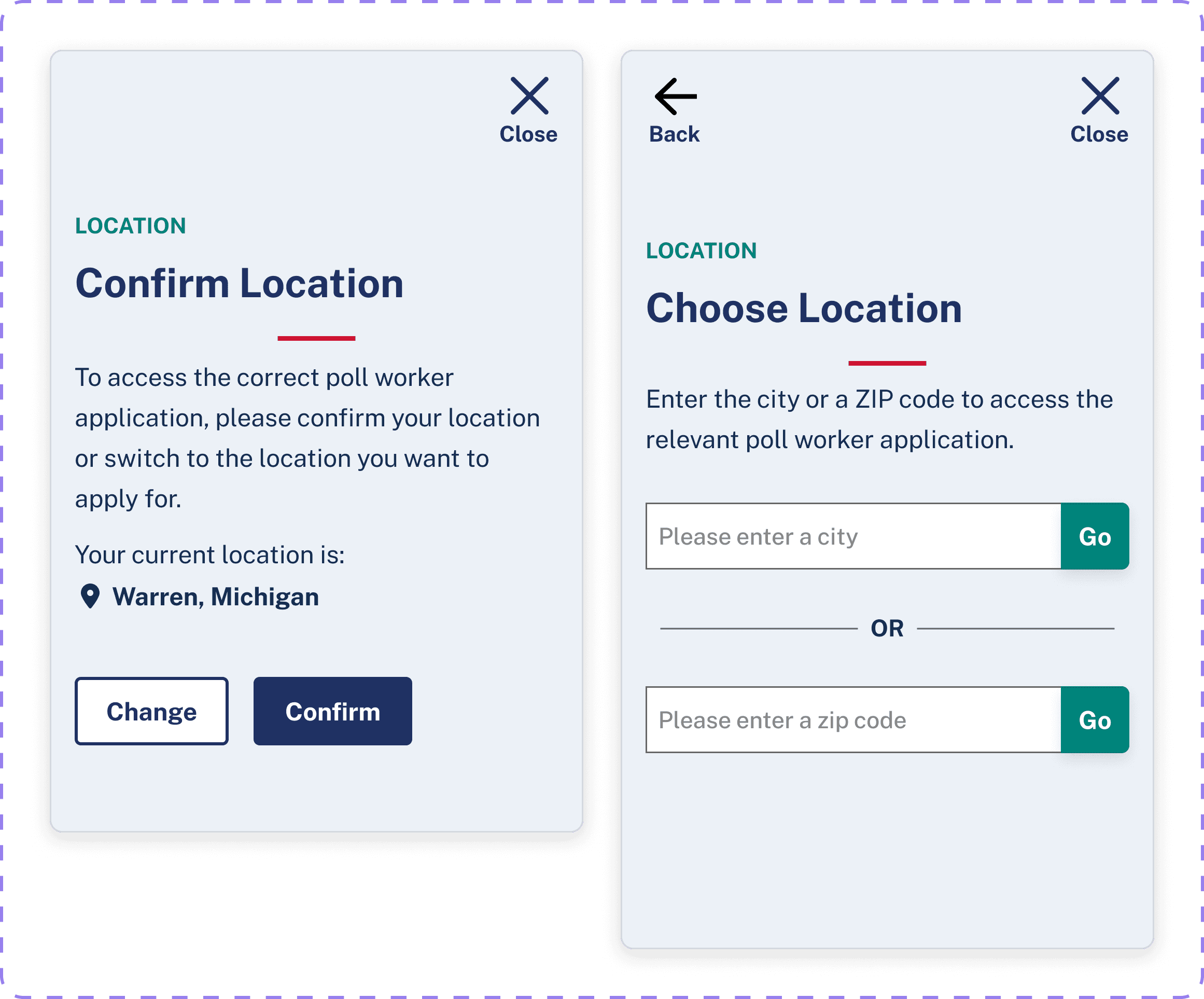
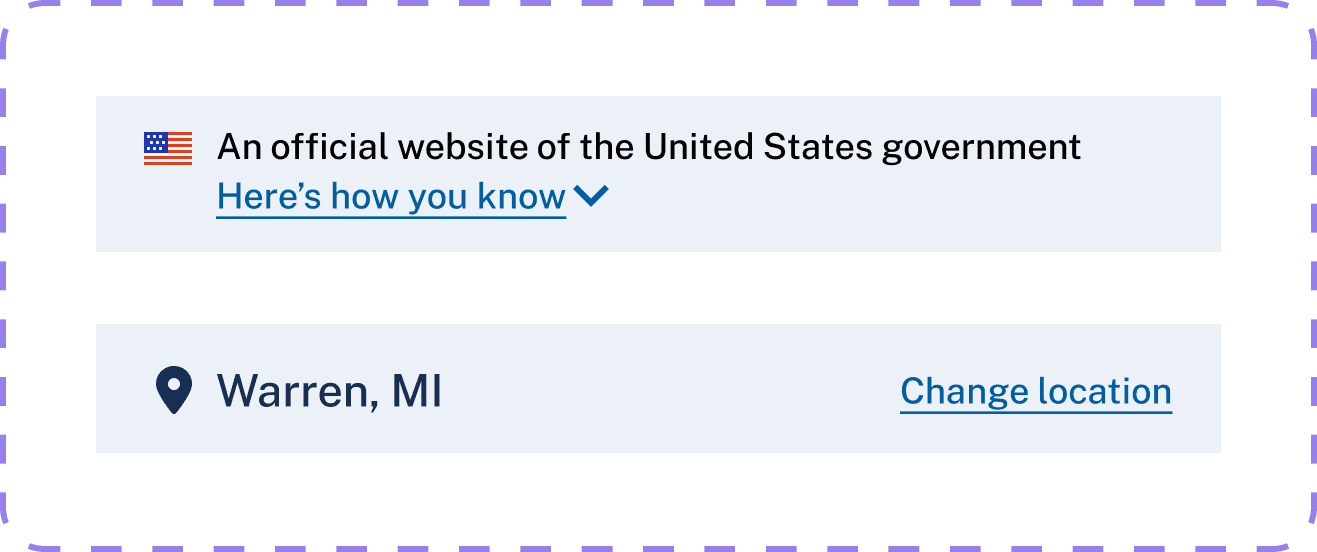
Replaced the dropdown-based tool with a geo-personalized experience that automatically presents state-specific poll worker information on page load. Users can still manually change their location.

Auditing, Testing, and Restructuring the Content

Auditing, Testing, and Restructuring the Content

Auditing, Testing, and Restructuring the Content

  1. Content Strategy

An audit of the EAC website to understand the scale and sprawl of poll worker–related content resulted in:

  1. Content Strategy

An audit of the EAC website to understand the scale and sprawl of poll worker–related content resulted in:

  1. Content Strategy

An audit of the EAC website to understand the scale and sprawl of poll worker–related content resulted in:

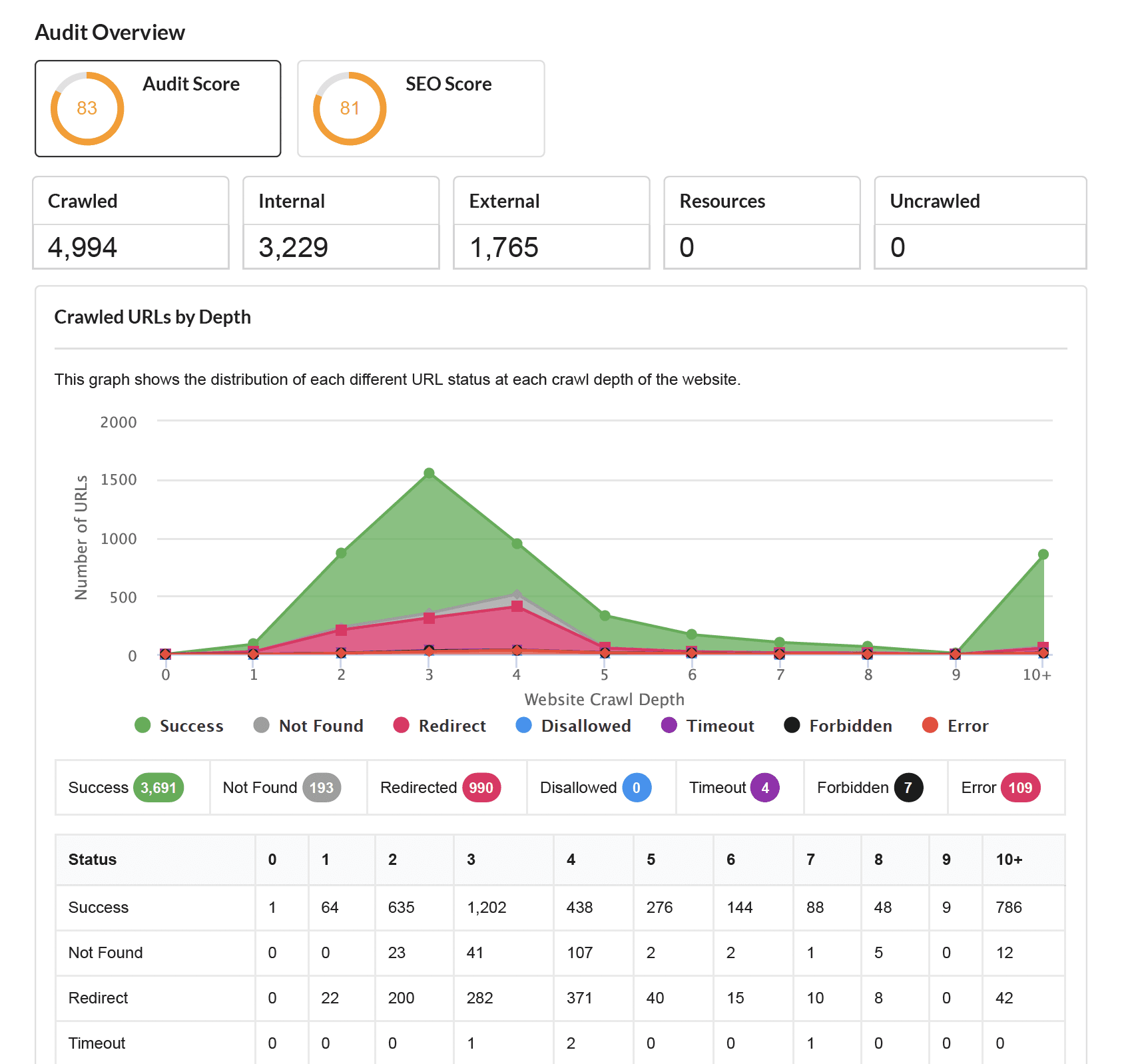
EAC website audit/crawling

Conducted using Sitebulb

Crawled 4,994 URLs

3,229 internal links, and 1,775 external links

Found 85 PDFs and docs

Alongside 16 redirecting URLs

Flagged many duplicate content

Related to "Apply", "Eligibility", and "Training"

Crawl depth visualization: majority of usable content was buried 3+ levels deep.
  1. Card Sorts - Key Findings & Recommendations

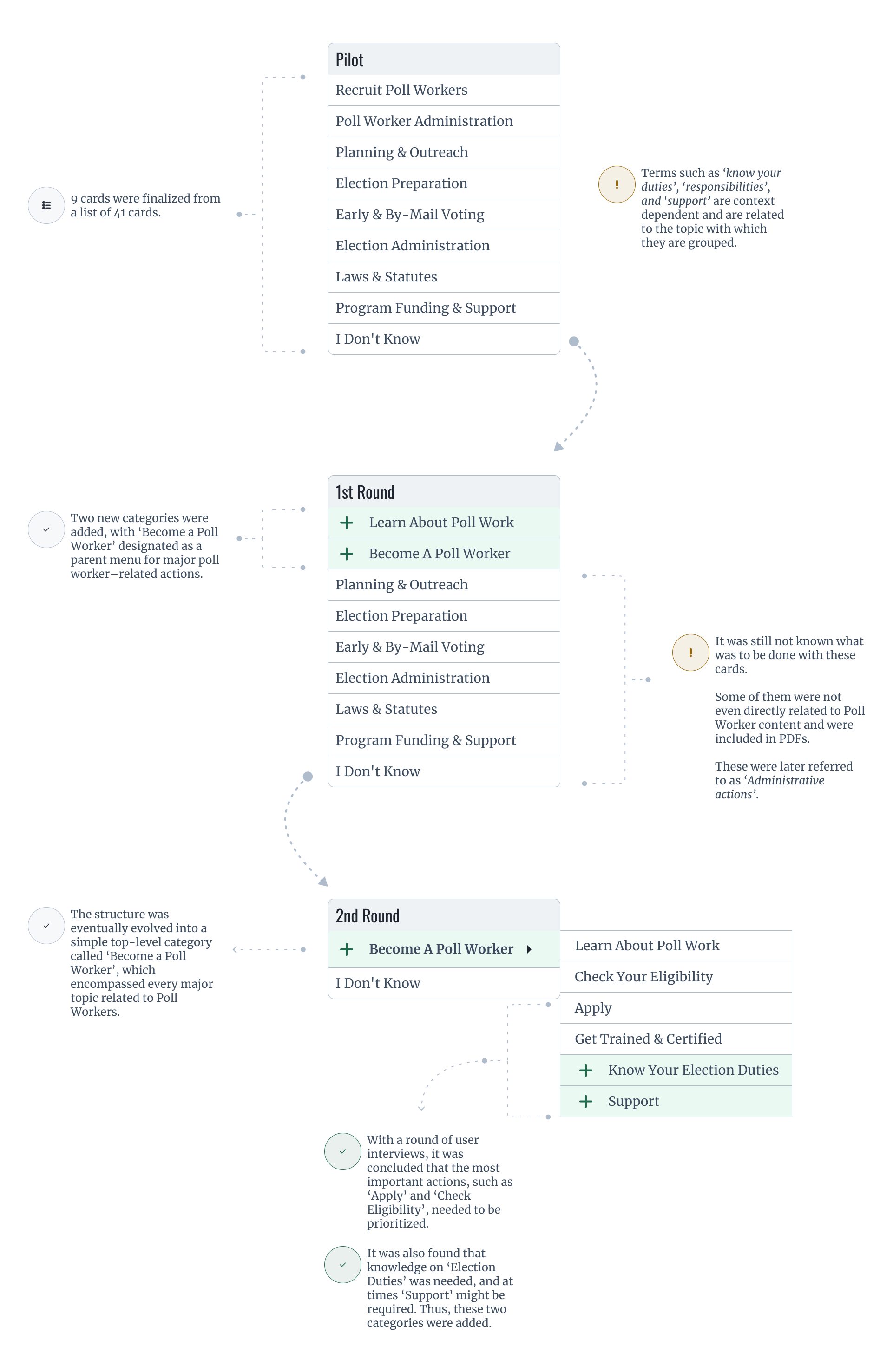
During the card sorting, various categories began to emerge. We eventually settled on creating one main category titled “Become a Poll Worker” to house all poll work–related content.

  1. Card Sorts - Key Findings & Recommendations

During the card sorting, various categories began to emerge. We eventually settled on creating one main category titled “Become a Poll Worker” to house all poll work–related content.

  1. Card Sorts - Key Findings & Recommendations

During the card sorting, various categories began to emerge. We eventually settled on creating one main category titled “Become a Poll Worker” to house all poll work–related content.

  1. Tree Tests

We ran a pilot and two rounds of Tree Testing to validate navigation structure and label clarity for poll worker tasks.

  1. Tree Tests

We ran a pilot and two rounds of Tree Testing to validate navigation structure and label clarity for poll worker tasks.

  1. Tree Tests

We ran a pilot and two rounds of Tree Testing to validate navigation structure and label clarity for poll worker tasks.

Unmoderated tree test

29 Participants

4 Tasks

T1

Check eligibility for poll work

T2

Apply for poll work

T3

Check election day responsibilities

T3

Find training materials

Pilot

50%

1st round

65%

2nd round

46%
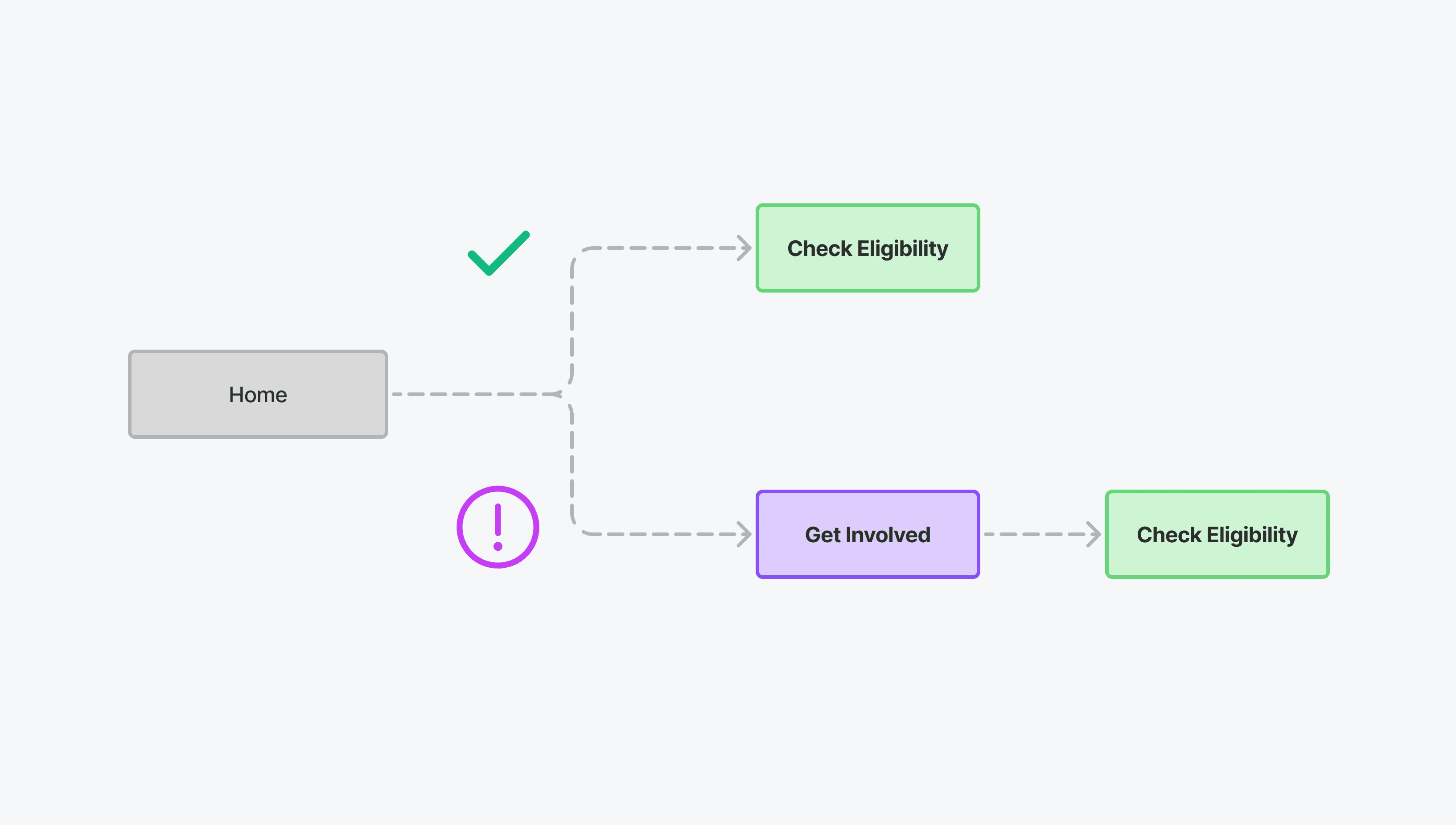
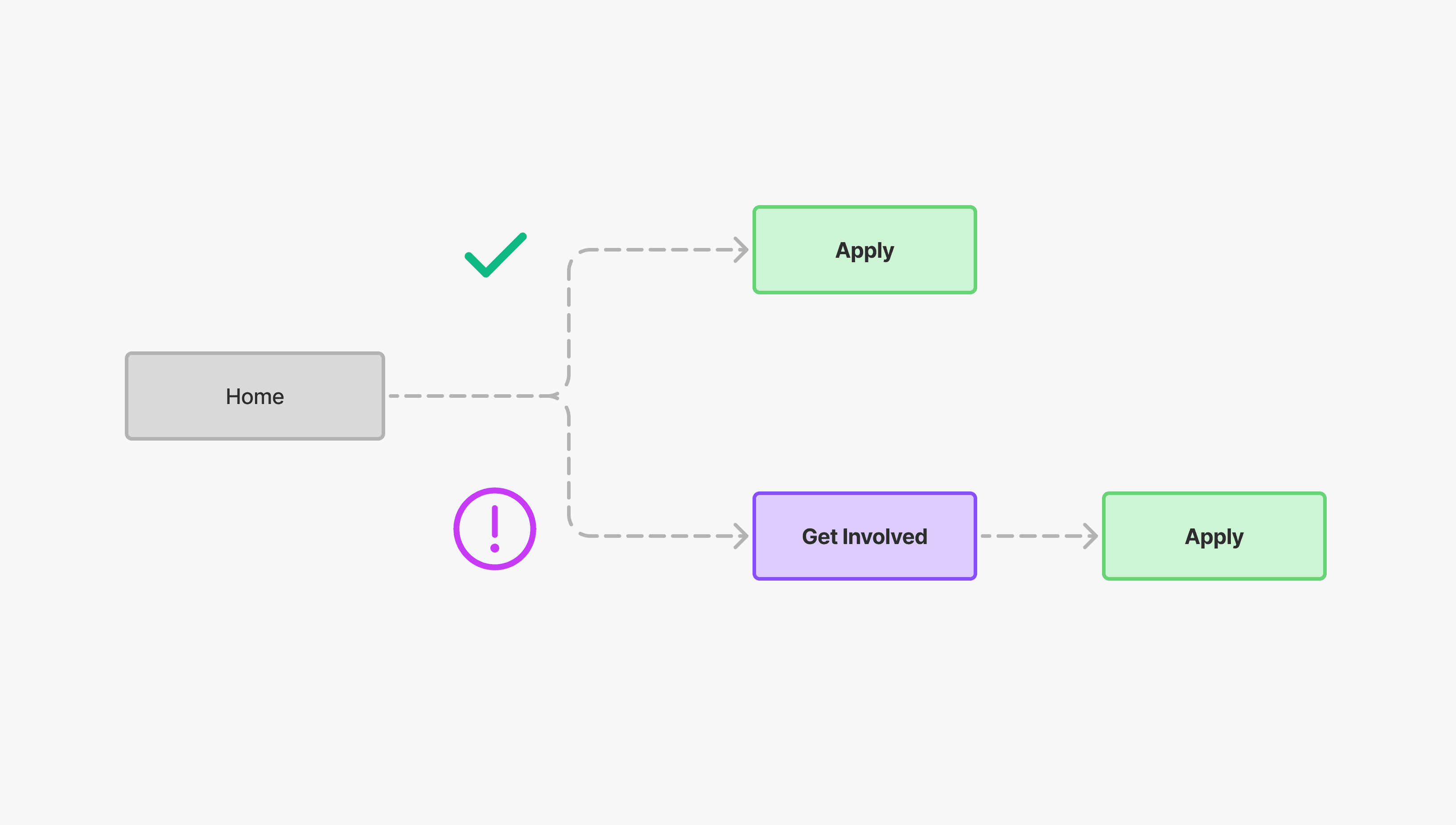
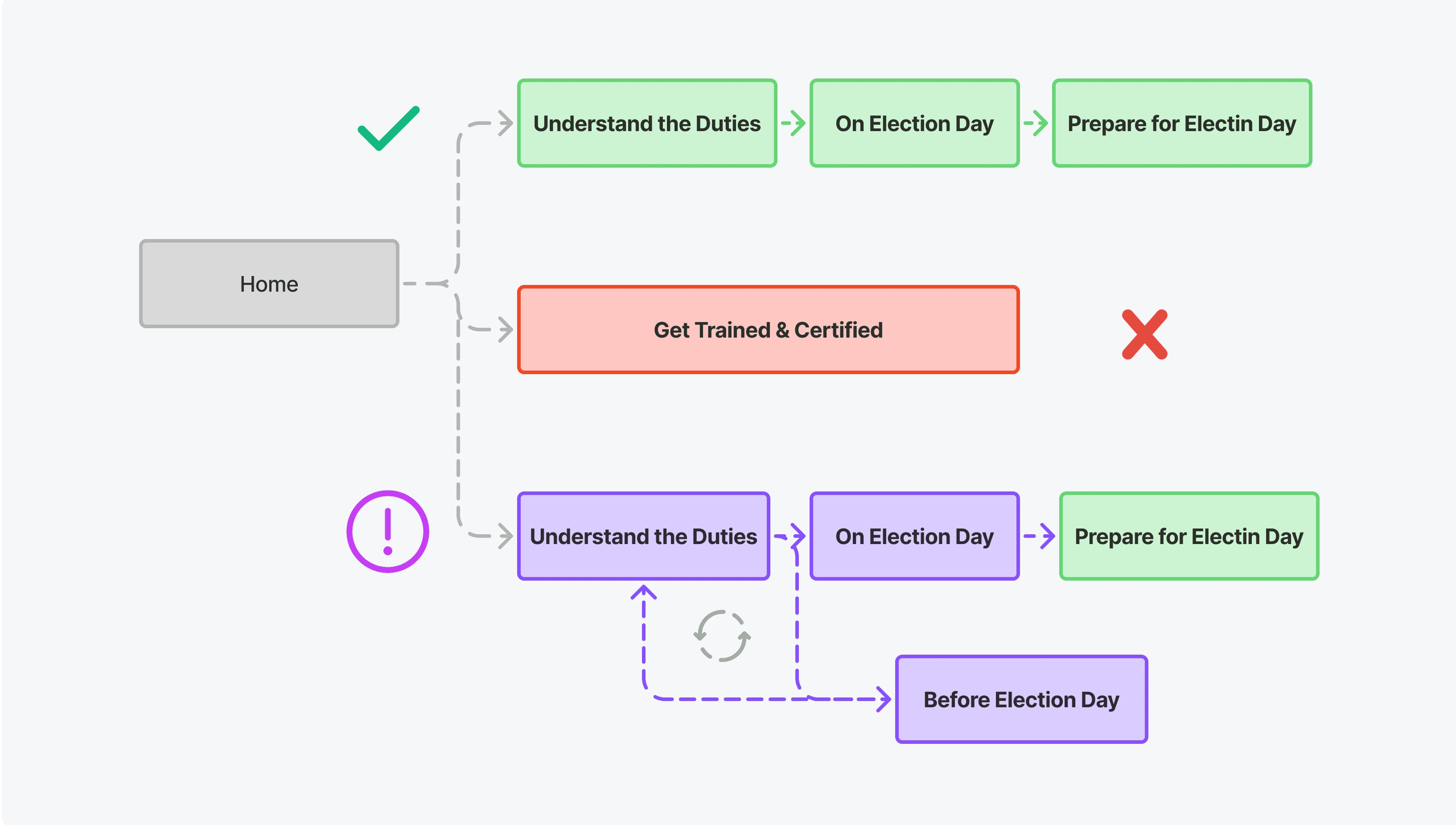
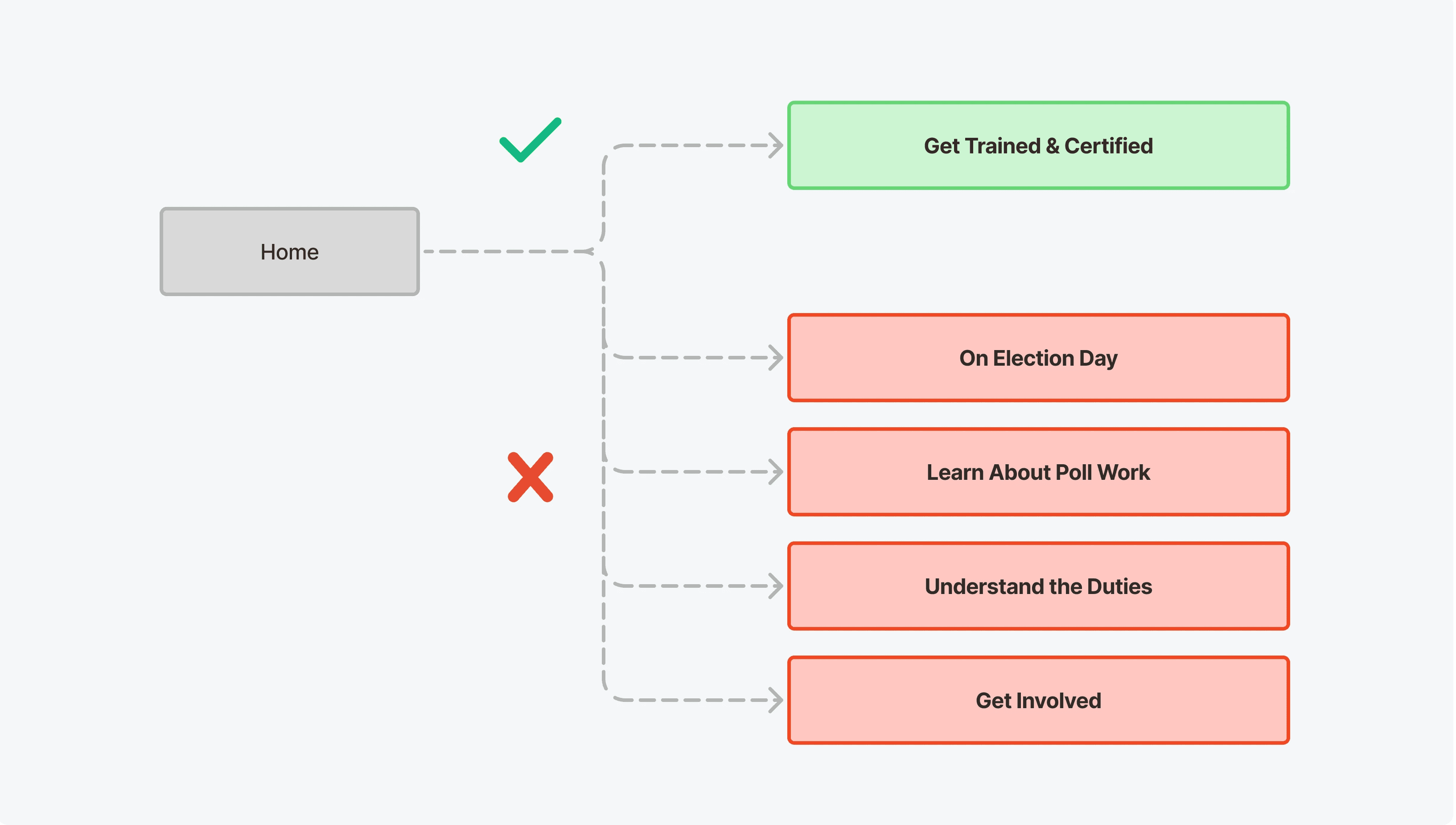
Insight: Success improved in Round 1 due to clearer labeling and top-level placement of critical actions like Apply and Check Eligibility. However, Round 2 saw a drop in success after nesting those tasks under broader categories like Get Involved, introducing ambiguity and forcing users to backtrack.

What We Learned

What We Learned

What We Learned

Prioritize Content

Placement of high-priority actions (like Apply) higher up the content hierarchy consistently improved success.

Remove Ambiguity

Ambiguous category names like 'Get Involved' led to confusion and search fatigue.

Reduce Complexity

Overly nested paths reduced direct task success and increased user backtracking.
Language Matters

Avoiding keywords (like “training”) in task scenarios made them harder, especially in Round 2.
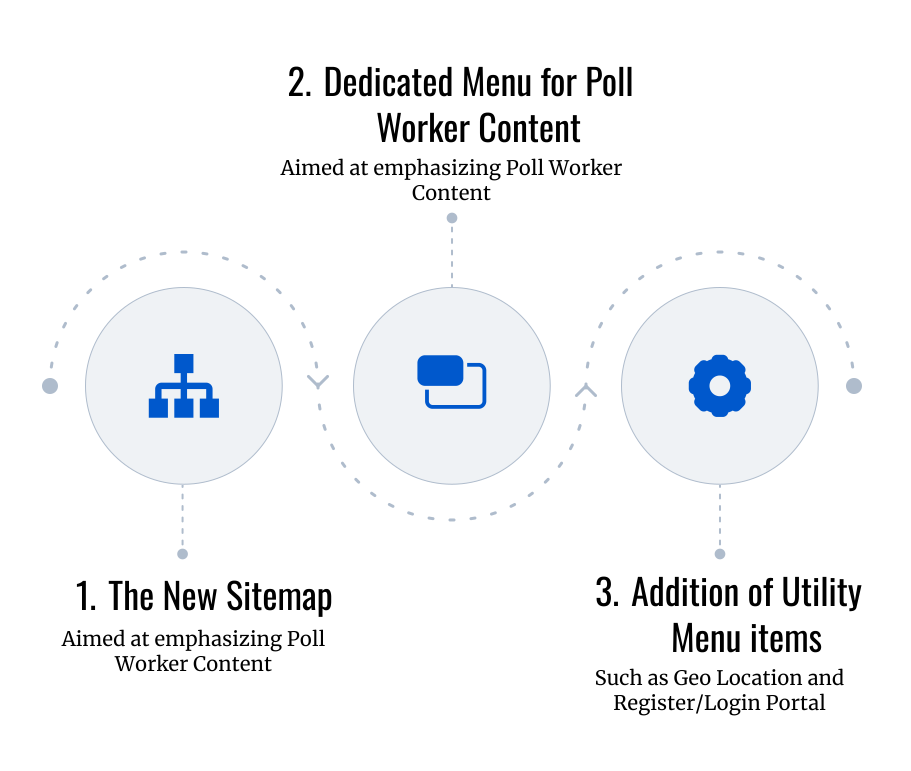
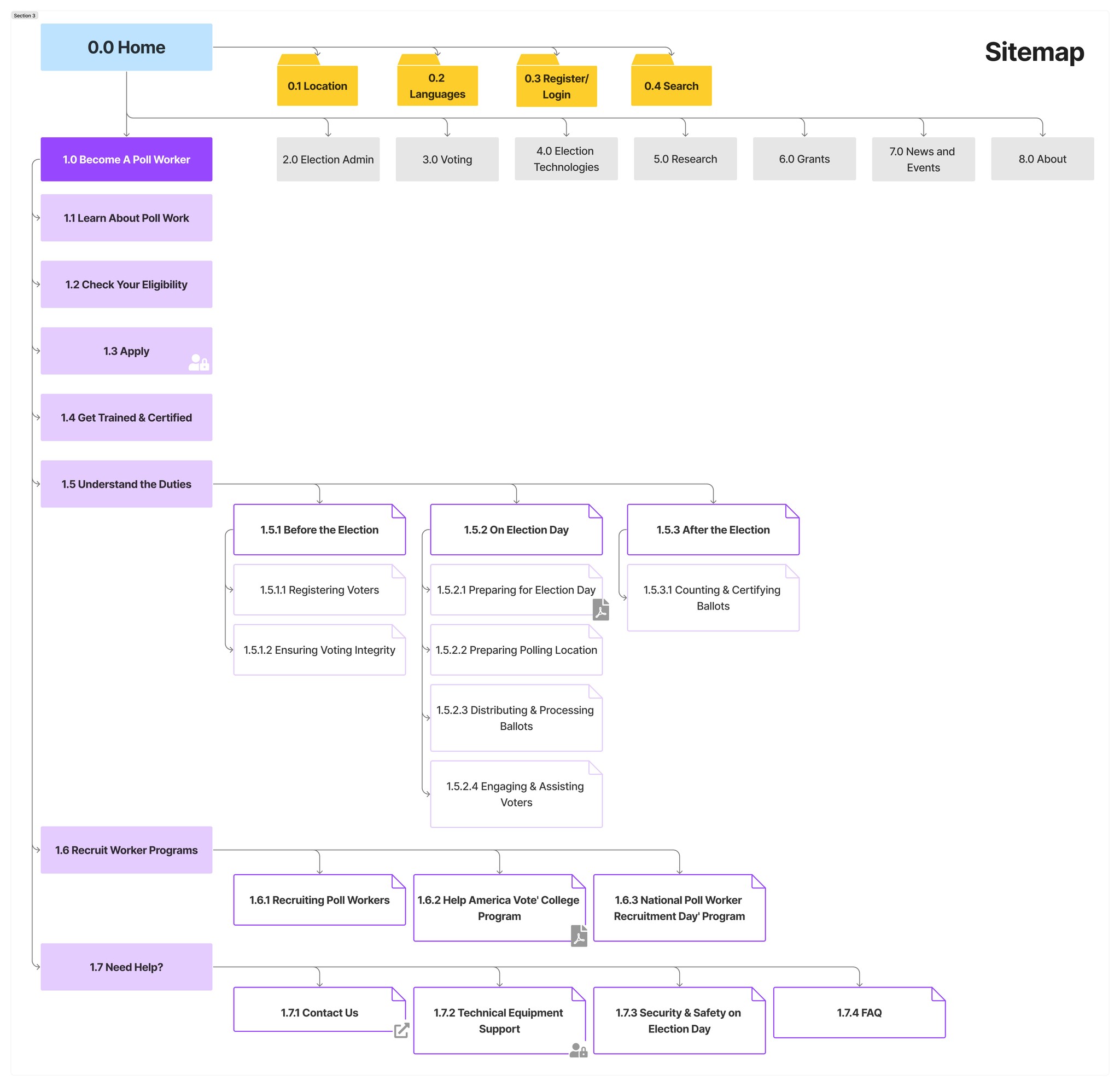
Sitemap

Sitemap

Sitemap

Main Navigation - Old Version

Main Navigation - New Version
A/B Test Analysis

Unmoderated remote usability test

30 Participants

4 Tasks

4 metrics tracked

T1

Check eligibility for poll work

T2

Apply for poll work

T3

Check election day responsibilities

T3

Find training materials
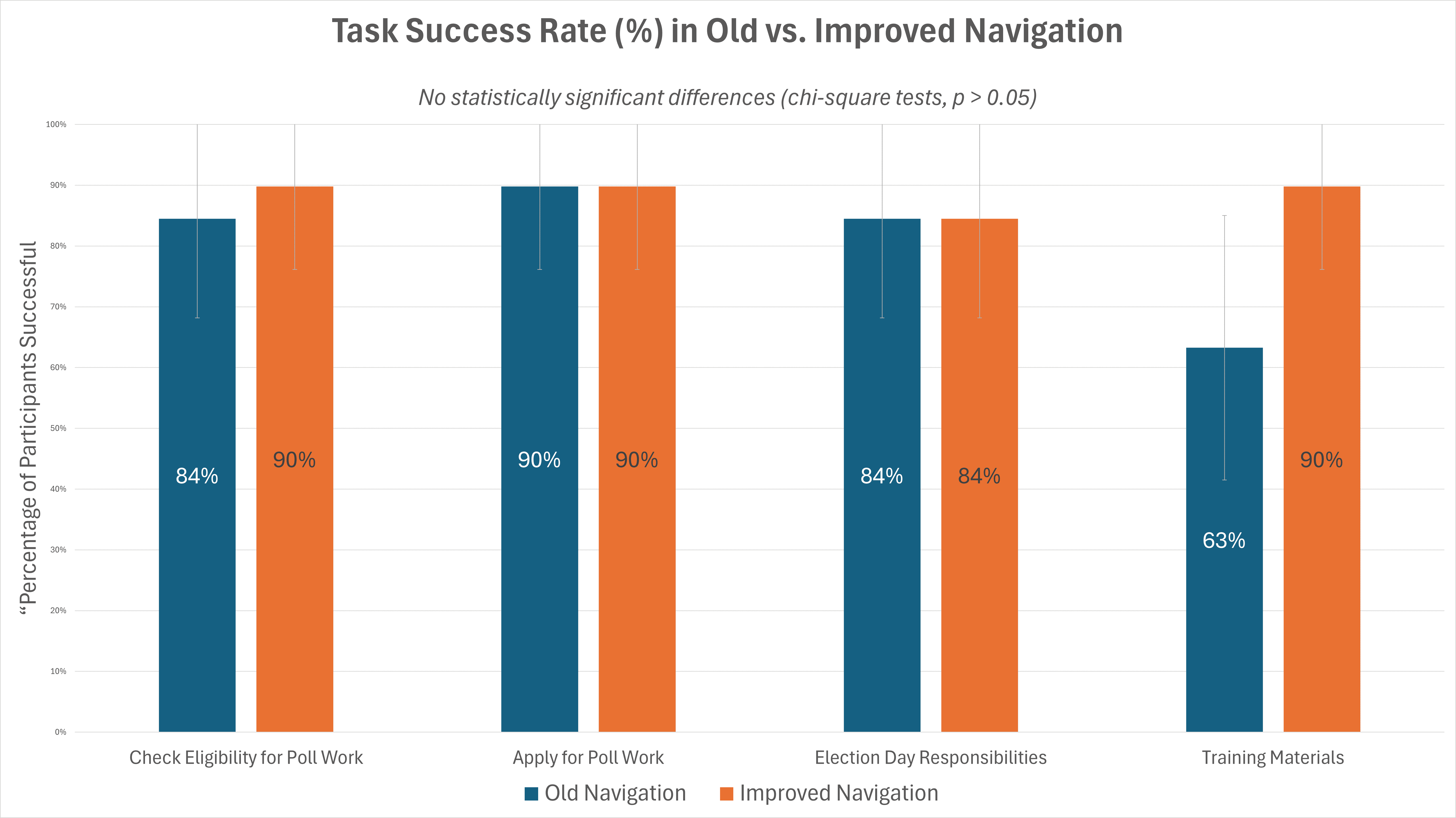
After completing my initial role on the project, I conducted a separate A/B test comparing the old EAC website navigation (on mobile and emulated devices) with the improved prototype built in Figma.

After completing my initial role on the project, I conducted a separate A/B test comparing the old EAC website navigation (on mobile and emulated devices) with the improved prototype built in Figma.

After completing my initial role on the project, I conducted a separate A/B test comparing the old EAC website navigation (on mobile and emulated devices) with the improved prototype built in Figma.

Across all four tasks, the improved navigation was on average 3.4× faster, with both time and click reductions consistently above 65%.

*These findings are based on 30 participants in a between-subjects study (15 per condition). The improved prototype included explicit task flows, which may have reduced distractions compared to the live site.

UI Design

UI Design

UI Design

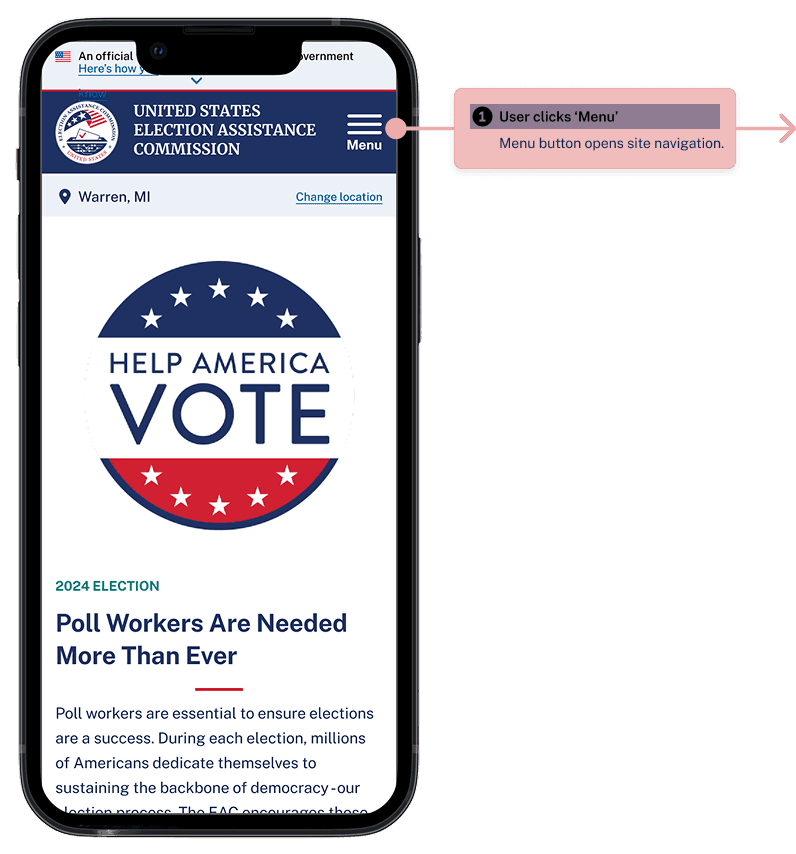
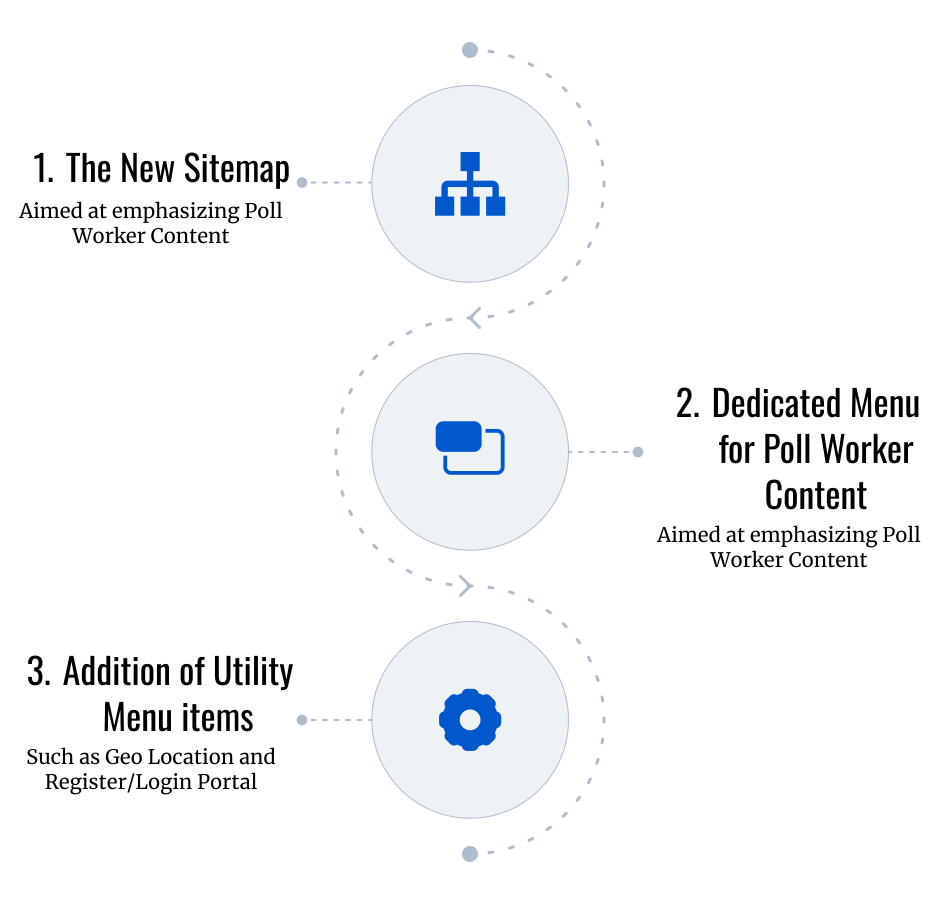
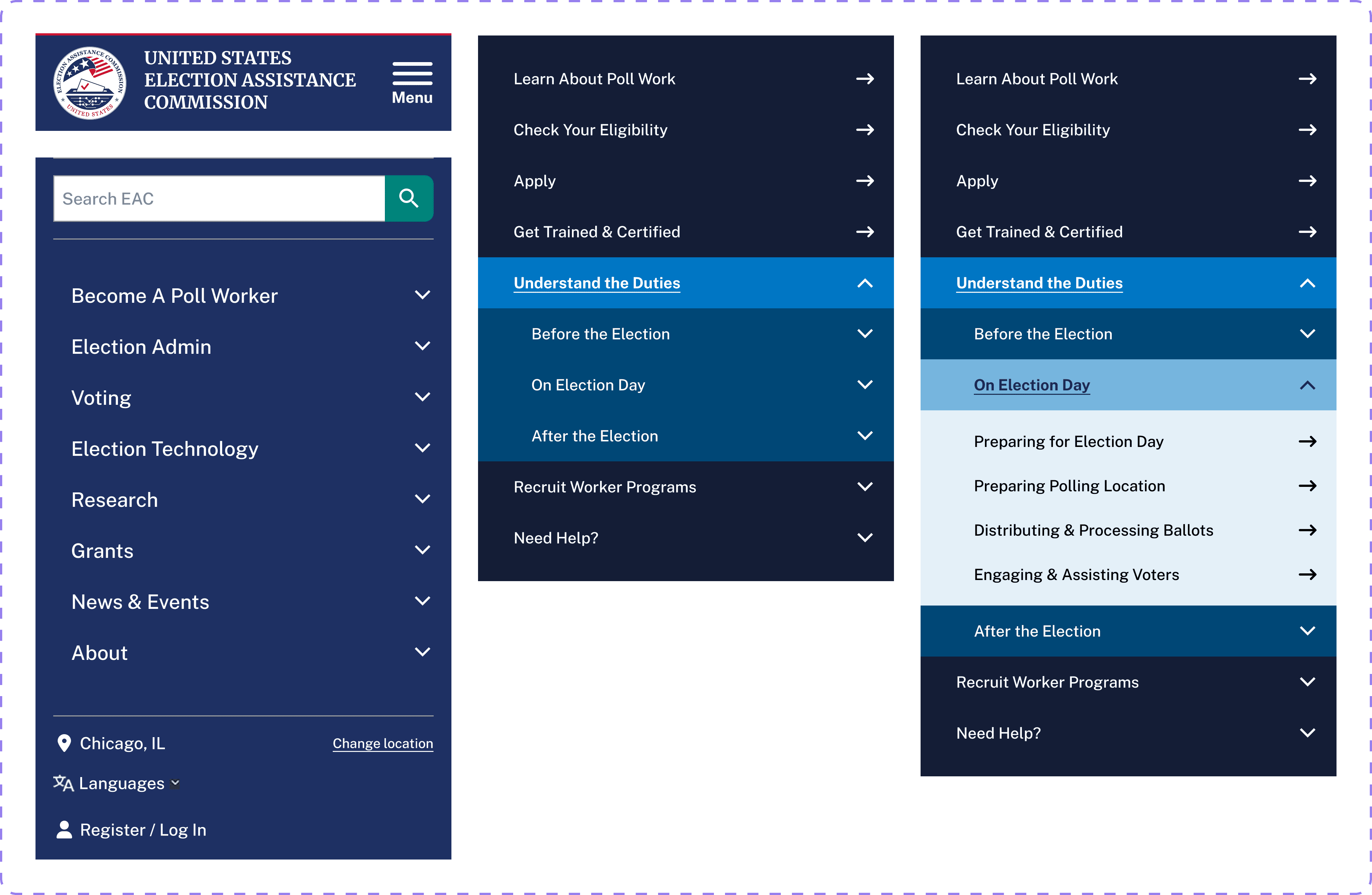
Since this wasn’t a visual design project, we didn’t modify the visual style — we followed the existing EAC style guide. The only changes we made were to the layout, such as introducing a dedicated poll worker menu and reorganizing key components. You can watch a short video below that explains our approach.

Alternatively, here's a link to our Figma design board.

Since this wasn’t a visual design project, we didn’t modify the visual style — we followed the existing EAC style guide. The only changes we made were to the layout, such as introducing a dedicated poll worker menu and reorganizing key components. You can watch a short video below that explains our approach.

Alternatively, here's a link to our Figma design board.

Since this wasn’t a visual design project, we didn’t modify the visual style — we followed the existing EAC style guide. The only changes we made were to the layout, such as introducing a dedicated poll worker menu and reorganizing key components. You can watch a short video below that explains our approach.

Alternatively, here's a link to our Figma design board.

Navigation

Designed a navigation structure consistent with EAC's official website/mobile app. Aimed at sufficient tapping area.

Modal

Provides quick toggles to subpages within a top-level section for fast in-flow switching.

Form Fields

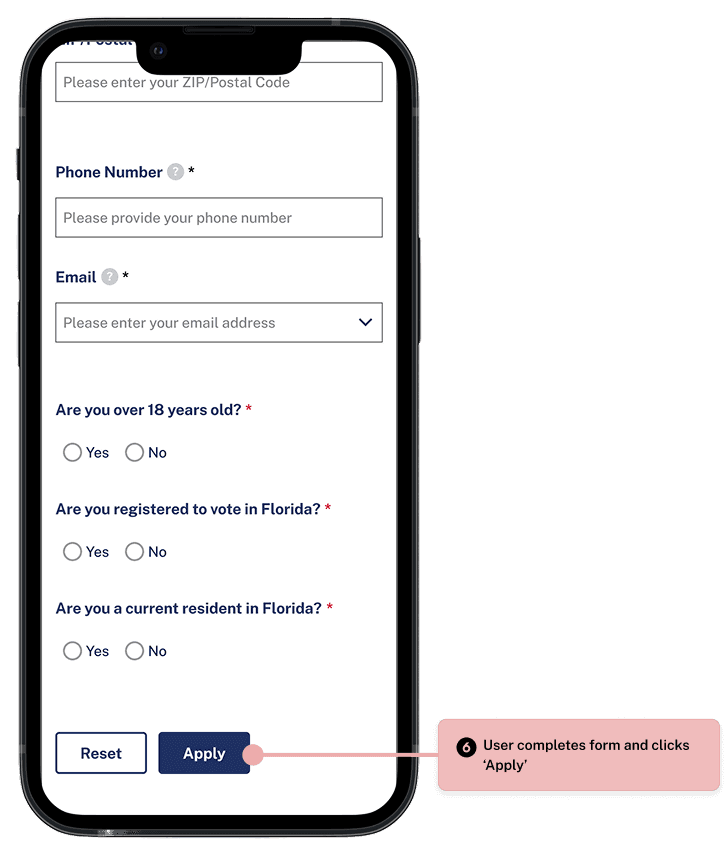
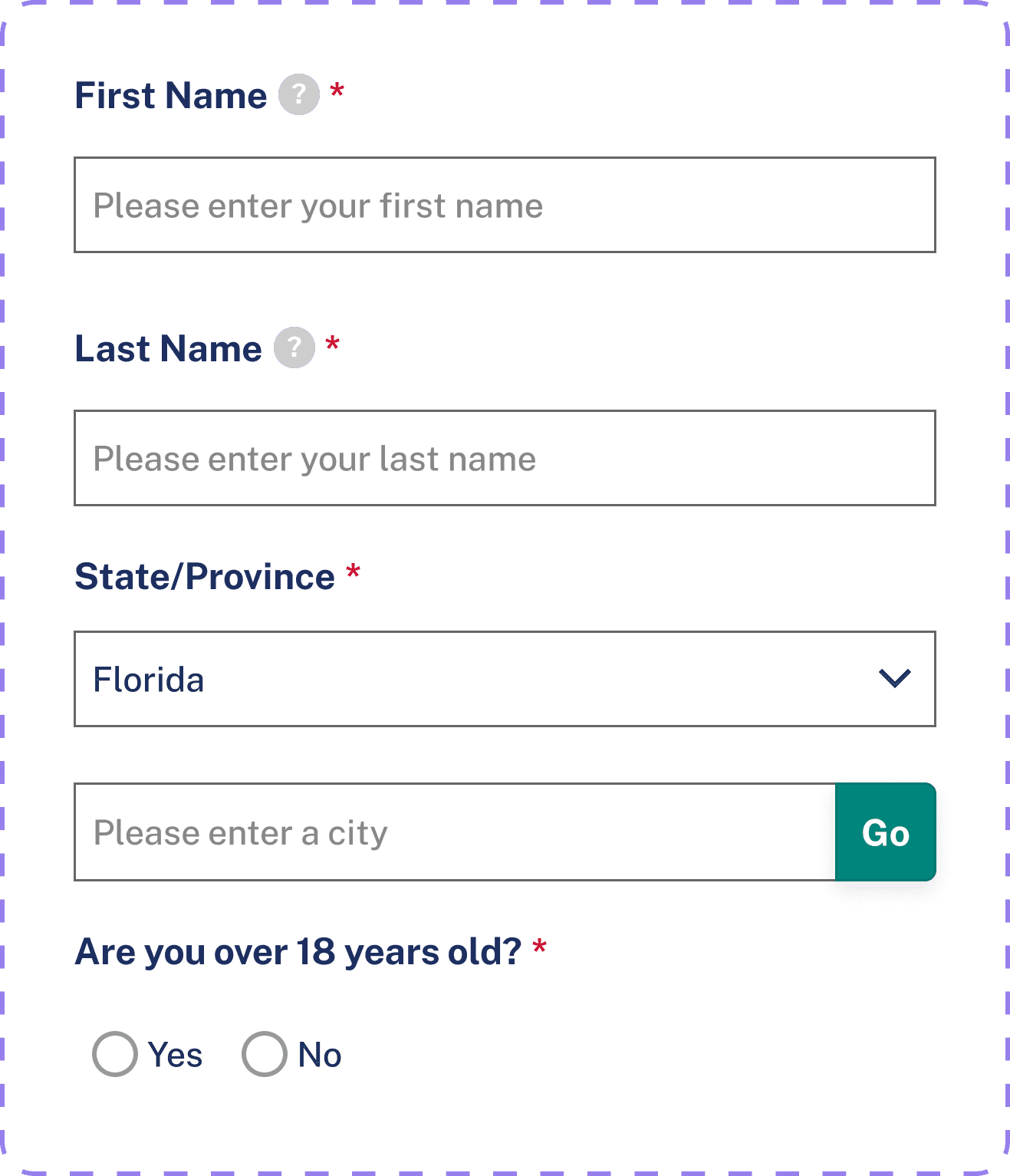
Follow familiar patterns with a 48 px tap target and softly rounded corners for comfortable touch interactions.

Toast

Uses established conventions—dropdowns for multi-choice selections and toggles for on/off controls.

Button

Provide a minimum 48 px touch target, clear labels, and appropriate controls for each input type to support accessibility.

Navigation

Designed a navigation structure consistent with EAC's official website/mobile app. Aimed at sufficient tapping area.

Modal

Provides quick toggles to subpages within a top-level section for fast in-flow switching.

Form Fields

Follow familiar patterns with a 48 px tap target and softly rounded corners for comfortable touch interactions.

Toast

Uses established conventions—dropdowns for multi-choice selections and toggles for on/off controls.

Button

Provide a minimum 48 px touch target, clear labels, and appropriate controls for each input type to support accessibility.

Navigation

Designed a navigation structure consistent with EAC's official website/mobile app. Aimed at sufficient tapping area.

Modal

Provides quick toggles to subpages within a top-level section for fast in-flow switching.

Form Fields

Follow familiar patterns with a 48 px tap target and softly rounded corners for comfortable touch interactions.

Toast

Uses established conventions—dropdowns for multi-choice selections and toggles for on/off controls.

Button

Provide a minimum 48 px touch target, clear labels, and appropriate controls for each input type to support accessibility.

Conclusion

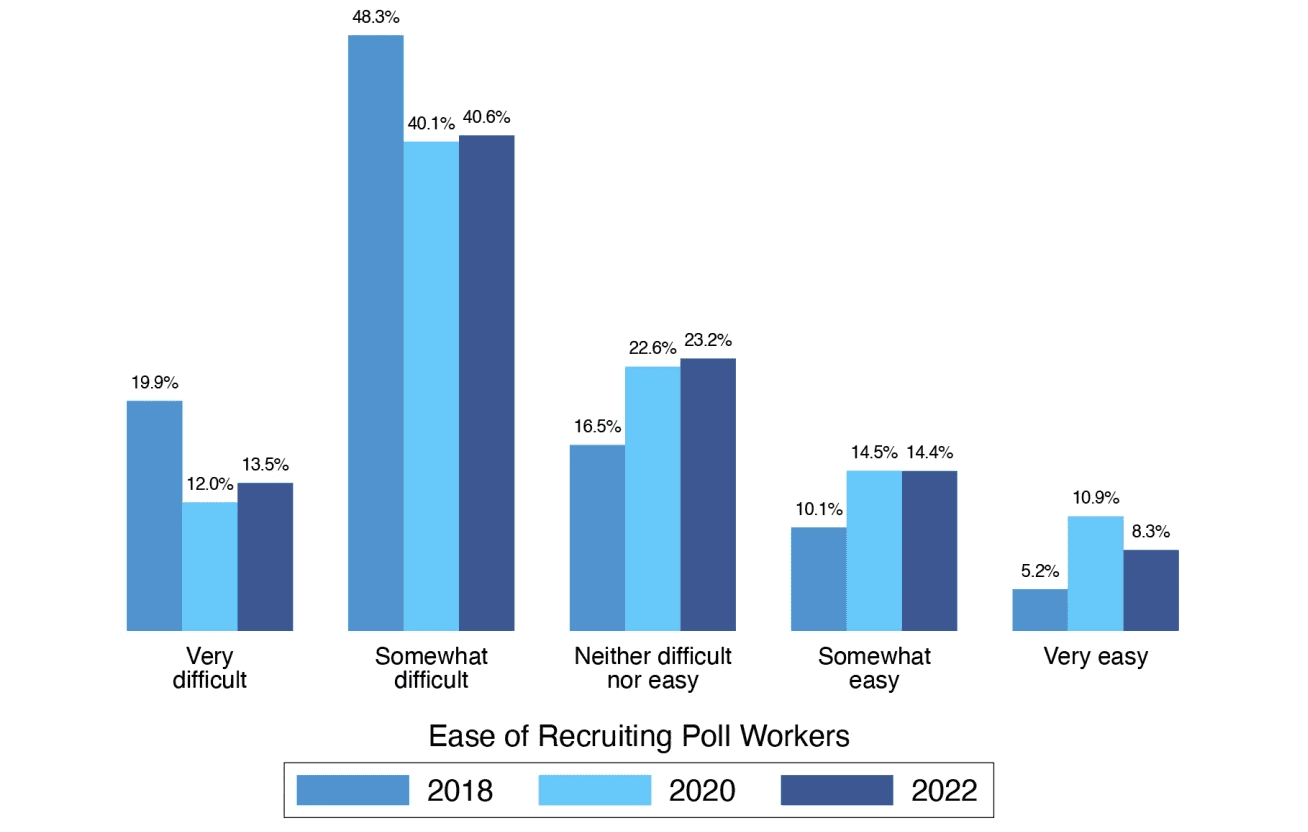
This project was long, complex, and at times challenging — but it led to something I believe is genuinely impactful. Jurisdictions across the U.S. consistently struggle to recruit and retain poll workers, and this redesign offers a clear, actionable foundation for making poll worker content more accessible and visible on the EAC website.

While our current work takes a strong step forward, it’s not the final version. Further rounds of tree testing — with more refined task phrasing — would help validate the structure more confidently. And more importantly, I see this as a starting point for deeper research. The findings here could support future qualitative efforts like user interviews and usability testing with actual or prospective poll workers. There’s still more to explore — but this project lays the groundwork.

This project was long, complex, and at times challenging — but it led to something I believe is genuinely impactful. Jurisdictions across the U.S. consistently struggle to recruit and retain poll workers, and this redesign offers a clear, actionable foundation for making poll worker content more accessible and visible on the EAC website.

While our current work takes a strong step forward, it’s not the final version. Further rounds of tree testing — with more refined task phrasing — would help validate the structure more confidently. And more importantly, I see this as a starting point for deeper research. The findings here could support future qualitative efforts like user interviews and usability testing with actual or prospective poll workers. There’s still more to explore — but this project lays the groundwork.

This project was long, complex, and at times challenging — but it led to something I believe is genuinely impactful. Jurisdictions across the U.S. consistently struggle to recruit and retain poll workers, and this redesign offers a clear, actionable foundation for making poll worker content more accessible and visible on the EAC website.

While our current work takes a strong step forward, it’s not the final version. Further rounds of tree testing — with more refined task phrasing — would help validate the structure more confidently. And more importantly, I see this as a starting point for deeper research. The findings here could support future qualitative efforts like user interviews and usability testing with actual or prospective poll workers. There’s still more to explore — but this project lays the groundwork.

Create a free website with Framer, the website builder loved by startups, designers and agencies.